ZATCA Phase 2 E-Invoicing: What Saudi Businesses Need to Know About QR Codesفاتورة زاتكا (المرحلة الثانية): ما يجب على الأعمال السعودية معرفته عن رمز QR
Every Saudi simplified tax invoice now has to carry a QR code that encodes specific TLV-formatted data. Here’s what the QR has to contain, when it’s mandatory, how verification works, and the common implementation mistakes Phase 2 introduces.كل فاتورة ضريبية مبسّطة في المملكة باتت ملزمة بحمل رمز QR يحوي بيانات بترميز TLV محدّد. إليك ما يجب أن يحويه الرمز، ومتى يكون إلزاميّاً، وكيف يتمّ التحقّق، وأشيع الأخطاء التطبيقية التي تجلبها المرحلة الثانية.
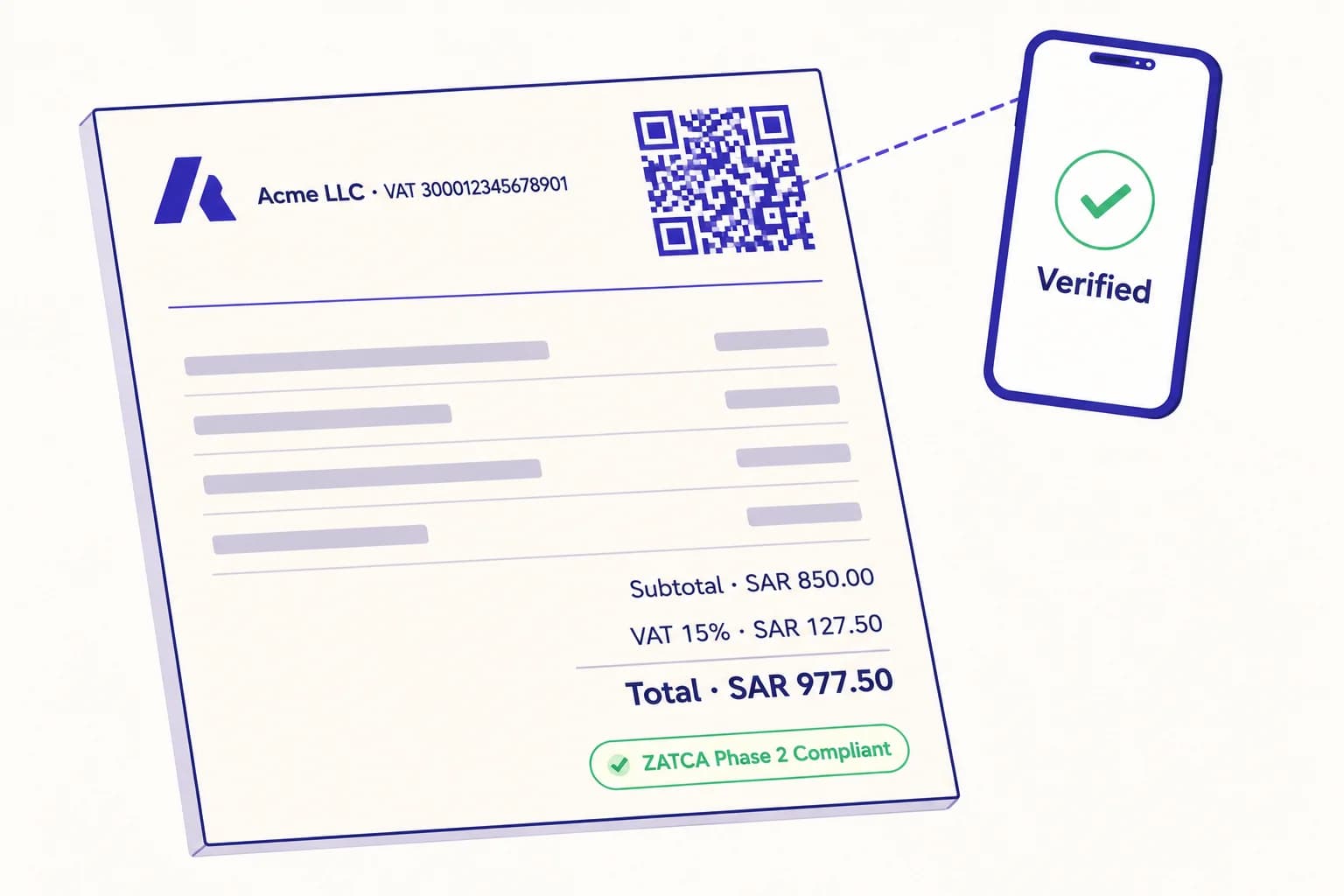
Every Saudi business that issues a tax invoice in 2026 is doing one of two things: printing a QR code on it that encodes a very specific set of fields in a very specific format, or — increasingly — being asked by their tax inspector why it isn’t there. ZATCA Phase 2 is now well into rollout, the requirements are concrete, and the penalties for getting them wrong are real. This is what the QR has to be, how it works, and where it tends to go wrong in practice.
A 30-second background on ZATCA e-invoicing
The Zakat, Tax and Customs Authority (ZATCA) is the Saudi tax authority. Since 4 December 2021, all VAT-registered businesses have been required to generate invoices electronically. This rollout came in two phases. Phase 1 — the Generation Phase — made electronic invoices mandatory and required a QR code on every simplified tax invoice (B2C). Phase 2 — the Integration Phase — is currently rolling out in waves, with each wave covering a band of businesses by VAT turnover, and adds a cryptographically signed XML format and direct integration with ZATCA’s Fatoora platform.
The QR code is at the centre of both phases. In Phase 2, the requirements get stricter: the QR must include fields that didn’t exist before, the invoice must be cryptographically signed, and B2B tax invoices also require a QR once a business is onboarded into Phase 2.
What the QR has to contain
The QR encodes data in TLV (Tag-Length-Value) format. Each field is a sequence of bytes: a tag identifying the field, the length of the value in bytes, then the value itself. The whole sequence is then base64-encoded and that’s what the QR carries.
Phase 1 simplified tax invoices require five fields:
- Tag 1 — Seller name (the legal name registered with ZATCA).
- Tag 2 — Seller VAT registration number (the 15-digit number).
- Tag 3 — Invoice timestamp (ISO 8601 datetime).
- Tag 4 — Invoice total with VAT (numeric, two decimal places).
- Tag 5 — VAT total (numeric, two decimal places).
Phase 2 simplified tax invoices add three more fields, related to the cryptographic signing:
- Tag 6 — Hash of the signed invoice XML.
- Tag 7 — ECDSA public key.
- Tag 8 — ECDSA signature of the public key (issued by ZATCA).
When the QR is mandatory
- Simplified tax invoices (B2C — what a customer takes home from a restaurant, retail till, or fuel station): MANDATORY since Phase 1, December 2021. The QR must be on the printed receipt.
- Standard tax invoices (B2B): OPTIONAL in Phase 1. In Phase 2, the QR becomes mandatory for businesses once they’re onboarded into the integration phase wave.
- Self-billed invoices: Same rules as the underlying invoice type.
- Credit and debit notes: Carry the same QR requirements as the underlying invoice they reference.
Phase 1 vs Phase 2 — the QR-specific differences
In Phase 1, the QR is a courtesy: any consumer can scan it and verify that the invoice is real, but the invoice itself is generated and stored entirely on the seller’s system. In Phase 2, the QR carries the cryptographic fields above, and the invoice itself must be submitted to ZATCA — either in real time (the ‘clearance model’, for standard B2B tax invoices, which must be cleared by ZATCA before being shared with the buyer) or after the fact within 24 hours (the ‘reporting model’, for simplified B2C invoices).
What this means practically: a Phase 1 QR can be generated by any TLV-aware encoder. A Phase 2 QR requires the seller’s software to be integrated with ZATCA’s Fatoora platform, have a valid ECDSA cryptographic stack, and either submit invoices in real time (B2B) or batch them daily (B2C).
How verification actually works
A customer (or a ZATCA inspector) scans the QR with the ZATCA verification app or any QR scanner. The app decodes the TLV fields and either: (a) for Phase 1, displays them so the consumer can sanity-check the invoice against what they see on paper; (b) for Phase 2, queries ZATCA’s platform with the invoice hash and signature to confirm the invoice was actually cleared/reported by ZATCA. A QR that decodes but doesn’t match a cleared invoice is a red flag.
Compliance timeline and waves
ZATCA rolled out Phase 2 in waves, each covering a band of businesses by VAT-registered turnover. The first wave covered the largest taxpayers; subsequent waves move down the turnover ladder. Businesses are notified by ZATCA at least six months before their wave’s onboarding date. Once onboarded, integration must be complete — software updated, certificates installed, invoices flowing through Fatoora — by that date. There is no extension for being unprepared.
Common implementation mistakes
- Encoding the QR as plain text or JSON instead of TLV-then-base64. Visually scans fine; fails ZATCA verification.
- Using the wrong company name format — Arabic-only when an English legal name is registered, or vice versa. The name has to match exactly what’s on the VAT certificate.
- Timestamp in the wrong timezone or wrong format. Must be ISO 8601 with the correct Saudi timezone (+03:00).
- Numeric fields with more than two decimal places, or with thousands separators. Strip those before encoding.
- Trying to retrofit Phase 1 QRs into Phase 2 invoices without the additional cryptographic fields. The fields are mandatory once a business is in Phase 2.
- Print sizing that makes the QR unreadable on a 60mm thermal receipt. Allow at least 20mm × 20mm with adequate quiet zone; smaller and consumer phones struggle with it.
What this means for the businesses that use QRA
Important nuance: a ZATCA-compliant invoice QR is generated by the seller’s e-invoicing software — the ERP, POS, or accounting system that issues the invoice and integrates with ZATCA. It is not a marketing QR, and tools like QRA do not generate the compliance QR itself. What QRA generates are the dynamic QR codes that the same Saudi business uses for everything else: menus, real-estate listings, packaging, signage, brand campaigns. The two systems live side by side. Your e-invoicing vendor handles ZATCA compliance; QRA handles the marketing and operational QRs that point at content you can update at any time.
If you’re evaluating e-invoicing vendors specifically for ZATCA compliance, the questions to ask them are: are they on ZATCA’s list of certified solution providers, do they handle the cryptographic signing in-product, and how do they handle the clearance/reporting submission flow. The QR generation falls out automatically once those three are in place.
The short answer
Every B2C invoice in Saudi Arabia has needed a TLV-encoded QR since December 2021. Phase 2 adds cryptographic fields, real-time clearance for B2B, and a strict wave-based rollout timeline. The QR is the verification surface that ties the printed invoice back to ZATCA’s platform. Get the encoding right, get your e-invoicing software integrated, and the QR takes care of itself.
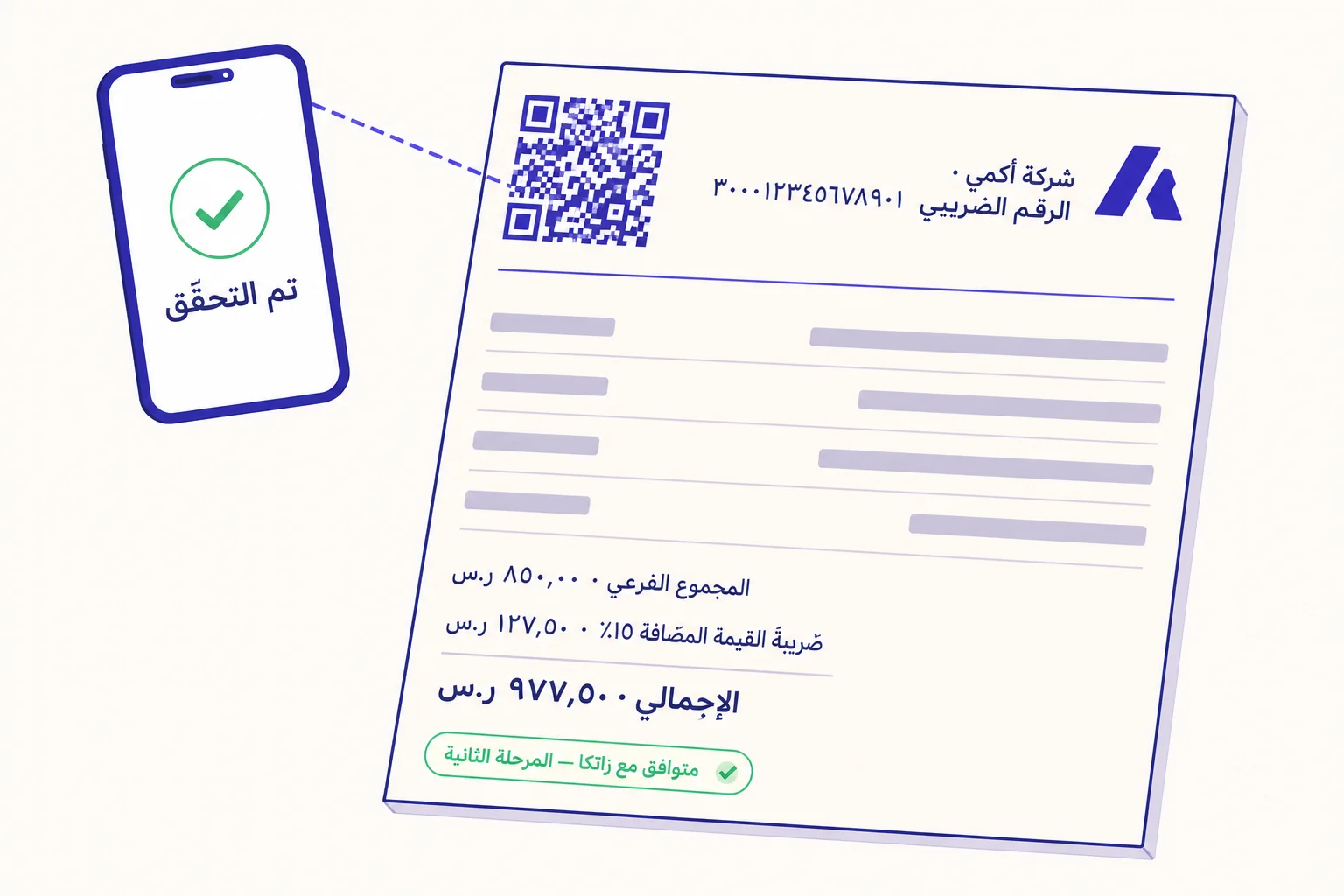
كلّ منشأة سعودية تُصدر فاتورة ضريبية في عام ٢٠٢٦ تفعل واحداً من اثنين: إمّا أن تطبع على الفاتورة رمز QR يحوي مجموعة محدّدة جدّاً من الحقول بصيغة محدّدة جدّاً، أو — وبشكل متزايد — أن يسألها مفتّش الضريبة لماذا الرمز غير موجود. المرحلة الثانية من زاتكا في تطبيق متقدّم الآن، والمتطلّبات واضحة، وعقوبات الخطأ حقيقية. هذا ما يجب أن يكون عليه الرمز، وكيف يعمل، وأين يخفق التطبيق عادةً.
خلفية موجزة عن فوترة زاتكا الإلكترونية
هيئة الزكاة والضريبة والجمارك (زاتكا) هي الجهة الضريبية في المملكة. منذ ٤ ديسمبر ٢٠٢١، صار على كلّ منشأة مسجّلة لضريبة القيمة المضافة إصدار فواتيرها إلكترونيّاً. جاء هذا التطبيق على مرحلتين. المرحلة الأولى — مرحلة الإصدار — جعلت الفواتير الإلكترونية إلزاميّة وألزمت بوضع رمز QR على كلّ فاتورة ضريبية مبسّطة (B2C). المرحلة الثانية — مرحلة الربط والتكامل — في تطبيق متدرّج على موجات، كلّ موجة تغطّي شريحة من المنشآت بحسب الإيرادات الخاضعة للضريبة، وتُضيف صيغة XML موقّعة تشفيريّاً، وربطاً مباشراً مع منصّة فاتورة.
رمز QR في قلب المرحلتين. في المرحلة الثانية تصبح المتطلّبات أصرم: يجب أن يحوي الرمز حقولاً لم تكن موجودة من قبل، ويجب أن تُوقَّع الفاتورة تشفيريّاً، وتصبح الفاتورة الضريبية بين المنشآت (B2B) ملزمة بحمل رمز QR متى ما أُدرجت المنشأة في موجة المرحلة الثانية.
ما الذي يجب أن يحويه الرمز
يُشفَّر الرمز بصيغة TLV — أي معرّف (Tag) ثم طول (Length) ثم قيمة (Value). كلّ حقل هو تسلسل من البايتات: معرّف يحدّد الحقل، ثم طول القيمة بالبايتات، ثم القيمة نفسها. ثمّ يُرمّز التسلسل كلّه بصيغة base64، وذلك ما يحمله الرمز.
الفاتورة الضريبية المبسّطة في المرحلة الأولى تتطلّب خمسة حقول:
- Tag 1 — اسم البائع (الاسم النظامي المسجّل لدى زاتكا).
- Tag 2 — الرقم الضريبي للبائع (الرقم المكوّن من ١٥ خانة).
- Tag 3 — الطابع الزمني للفاتورة (بصيغة ISO 8601).
- Tag 4 — إجمالي الفاتورة شاملاً ضريبة القيمة المضافة (رقم بخانتين عشريّتين).
- Tag 5 — إجمالي ضريبة القيمة المضافة (رقم بخانتين عشريّتين).
الفاتورة الضريبية المبسّطة في المرحلة الثانية تضيف ثلاثة حقول إضافية تتعلّق بالتوقيع التشفيري:
- Tag 6 — قيمة الـ hash لـ XML الفاتورة الموقّعة.
- Tag 7 — المفتاح العام ECDSA.
- Tag 8 — توقيع ECDSA للمفتاح العام (الصادر من زاتكا).
متى يكون الرمز إلزاميّاً
- الفواتير الضريبية المبسّطة (B2C — ما يأخذه الزبون من مطعم أو صندوق تجزئة أو محطّة وقود): إلزاميّ منذ المرحلة الأولى في ديسمبر ٢٠٢١. الرمز على الإيصال المطبوع.
- الفواتير الضريبية القياسية (B2B): اختياريّ في المرحلة الأولى. في المرحلة الثانية يصبح إلزاميّاً متى ما أُدرجت المنشأة في موجة الربط.
- الفواتير ذاتية الإصدار: تتبع نفس قواعد نوع الفاتورة الأصلية.
- إشعارات الدائن والمدين: تحمل نفس متطلّبات رمز QR للفاتورة الأصلية التي تشير إليها.
المرحلة الأولى مقابل الثانية — الفروقات الخاصّة برمز QR
في المرحلة الأولى، الرمز عرض إضافي: يستطيع أيّ مستهلك مسحه والتحقّق من أنّ الفاتورة حقيقية، لكنّ الفاتورة نفسها تُولَّد وتُخزَّن كلّيّاً على نظام البائع. في المرحلة الثانية، يحمل الرمز الحقول التشفيرية أعلاه، ويجب أن تُرسَل الفاتورة نفسها إلى زاتكا — إمّا في الوقت الحقيقي (نموذج «الفسح» Clearance، للفواتير الضريبية القياسية B2B، التي يجب أن تُفسح من زاتكا قبل مشاركتها مع المشتري)، أو لاحقاً خلال ٢٤ ساعة (نموذج «التبليغ» Reporting، للفواتير المبسّطة B2C).
ما يعنيه هذا عمليّاً: رمز المرحلة الأولى يمكن أن يولّده أيّ مُشفِّر TLV. أمّا رمز المرحلة الثانية فيتطلّب أن تكون برمجيّات البائع مربوطة بمنصّة فاتورة، وتمتلك بنية تشفير ECDSA صالحة، وترسل الفواتير في الوقت الحقيقي (B2B) أو يوميّاً دفعة واحدة (B2C).
كيف يتمّ التحقّق فعلاً
يمسح المستهلك (أو مفتّش زاتكا) الرمز عبر تطبيق التحقّق من زاتكا أو أيّ ماسح QR. يفكّ التطبيق ترميز حقول TLV ثم: (أ) في المرحلة الأولى، يعرضها كي يتأكّد المستهلك من تطابق المطبوع مع البيانات؛ (ب) في المرحلة الثانية، يستعلم من منصّة زاتكا باستخدام قيمة الـ hash والتوقيع للتأكّد من أنّ الفاتورة فُسحت/بُلِّغت فعلاً. رمز يقرأ لكنّه لا يطابق فاتورة مفسوحة هو علامة تحذير.
الجدول الزمني للامتثال والموجات
طبّقت زاتكا المرحلة الثانية على موجات، كلّ موجة تغطّي شريحة من المنشآت حسب الإيرادات الخاضعة للضريبة. الموجة الأولى غطّت كبار المكلّفين، والموجات التالية تنزل تدريجيّاً في سلّم الإيرادات. تُخطر زاتكا المنشأة قبل تاريخ ربطها بستّة أشهر على الأقل. وبحلول هذا التاريخ يجب أن يكتمل التكامل — تحديث البرمجيّات، تركيب الشهادات، تدفّق الفواتير عبر فاتورة. لا تمديد لعدم الاستعداد.
أخطاء تطبيقيّة شائعة
- ترميز الرمز نصّاً عاديّاً أو JSON بدل TLV-ثم-base64. يقرأ بصريّاً، لكنّه يفشل في تحقّق زاتكا.
- استخدام الاسم بصيغة خاطئة — عربيّاً فقط بينما الاسم النظامي مسجّل بالإنجليزية، أو العكس. يجب أن يطابق الاسم تماماً ما هو في شهادة ضريبة القيمة المضافة.
- الطابع الزمني بمنطقة زمنية خاطئة أو صيغة خاطئة. يجب أن يكون بصيغة ISO 8601 بالتوقيت السعودي (+٠٣:٠٠).
- الحقول الرقمية بأكثر من خانتين عشريّتين، أو بفواصل آلاف. جرّدها قبل الترميز.
- محاولة إعادة استخدام رموز المرحلة الأولى في فواتير المرحلة الثانية دون الحقول التشفيرية الإضافية. هذه الحقول إلزاميّة فور الانتقال إلى المرحلة الثانية.
- مقاس طباعة يجعل الرمز غير مقروء على إيصال حراري بعرض ٦٠ ملم. اترك حدّاً أدنى ٢٠ ملم × ٢٠ ملم مع منطقة هادئة كافية؛ أصغر من ذلك تعجز هواتف المستهلكين عن قراءته.
ماذا يعني هذا للمنشآت التي تستخدم QRA
تنبيه مهمّ: رمز QR للفاتورة المتوافقة مع زاتكا يُولَّد من نظام الفوترة الإلكترونية للبائع — أي نظام ERP أو POS أو المحاسبة الذي يُصدر الفاتورة ويتكامل مع زاتكا. ليس رمز تسويق، وأدوات مثل QRA لا تُولّد رمز الامتثال نفسه. ما تُولّده QRA هو رموز QR الديناميكيّة التي تستخدمها المنشأة السعوديّة لكلّ شيء آخر: القوائم، إعلانات العقارات، التغليف، اللافتات، حملات العلامة التجارية. النظامان يسيران جنباً إلى جنب. مزوّد الفوترة الإلكترونية يتولّى الامتثال لزاتكا؛ QRA تتولّى رموز التسويق والتشغيل التي تشير إلى محتوى يمكنك تحديثه في أيّ وقت.
إن كنت تقيّم مزوّدي فوترة إلكترونية للامتثال لزاتكا تحديداً، الأسئلة التي تطرحها عليهم: هل هم في قائمة زاتكا لمزوّدي الحلول المعتمدين، وهل يديرون التوقيع التشفيري داخل المنتج، وكيف يديرون تدفّق الفسح/التبليغ. توليد QR يتمّ تلقائياً متى ما كانت هذه الثلاثة موجودة.
الإجابة المختصرة
كلّ فاتورة B2C في المملكة تستلزم رمز QR بترميز TLV منذ ديسمبر ٢٠٢١. المرحلة الثانية تُضيف حقولاً تشفيرية، وفسحاً في الوقت الحقيقي للـ B2B، وجدولاً موجيّاً صارماً للتطبيق. الرمز هو سطح التحقّق الذي يربط الفاتورة المطبوعة بمنصّة زاتكا. اضبط الترميز جيّداً، اربط برمجيّات الفوترة، وسيتولّى الرمز نفسه أمره.
Ready to make a smarter QR?جاهز لإنشاء رمز QR أذكى؟
Sign up free — no card needed. Track every scan, edit destinations anytime.سجّل مجاناً — بدون بطاقة. تتبّع كل عملية مسح وعدّل الوجهة في أي وقت.