Types of QR Codes Explained: URL, vCard, Wi-Fi, Email, SMS, Location, Calendar, Phone, Payment, App Storeأنواع رموز QR بالتفصيل: الرابط، بطاقة التعارف، الواي-فاي، البريد، الرسائل، الموقع، التقويم، الهاتف، الدفع، متجر التطبيقات
Most people think of QR codes as 'the thing that opens a website'. URL is one type — and the most common. There are at least nine others worth knowing: vCard for digital business cards, Wi-Fi for one-tap network join, Email and SMS for pre-filled messages, Location for navigation, Calendar for event invites, Phone for one-tap dialling, Payment for transactions, App Store for installs. This is the catalog — what each type does, when to use it, and the practical gotchas per type.يعتقد معظم الناس أنّ رموز QR هي «الشيء الذي يفتح موقعاً». الرابط هو نوع واحد — وأكثر الأنواع شيوعاً. هناك على الأقلّ تسعة أنواع أخرى تستحقّ المعرفة: بطاقة التعارف للبطاقات الرقميّة، الواي-فاي للانضمام بنقرة واحدة، البريد والرسائل للرسائل المُعدّة مسبقاً، الموقع للتنقّل، التقويم لدعوات المناسبات، الهاتف للاتّصال بنقرة واحدة، الدفع للمعاملات، متجر التطبيقات للتثبيتات. هذا هو الكتالوج — ما يفعله كلّ نوع، متى تستخدمه، والمحاذير العمليّة لكلّ نوع.
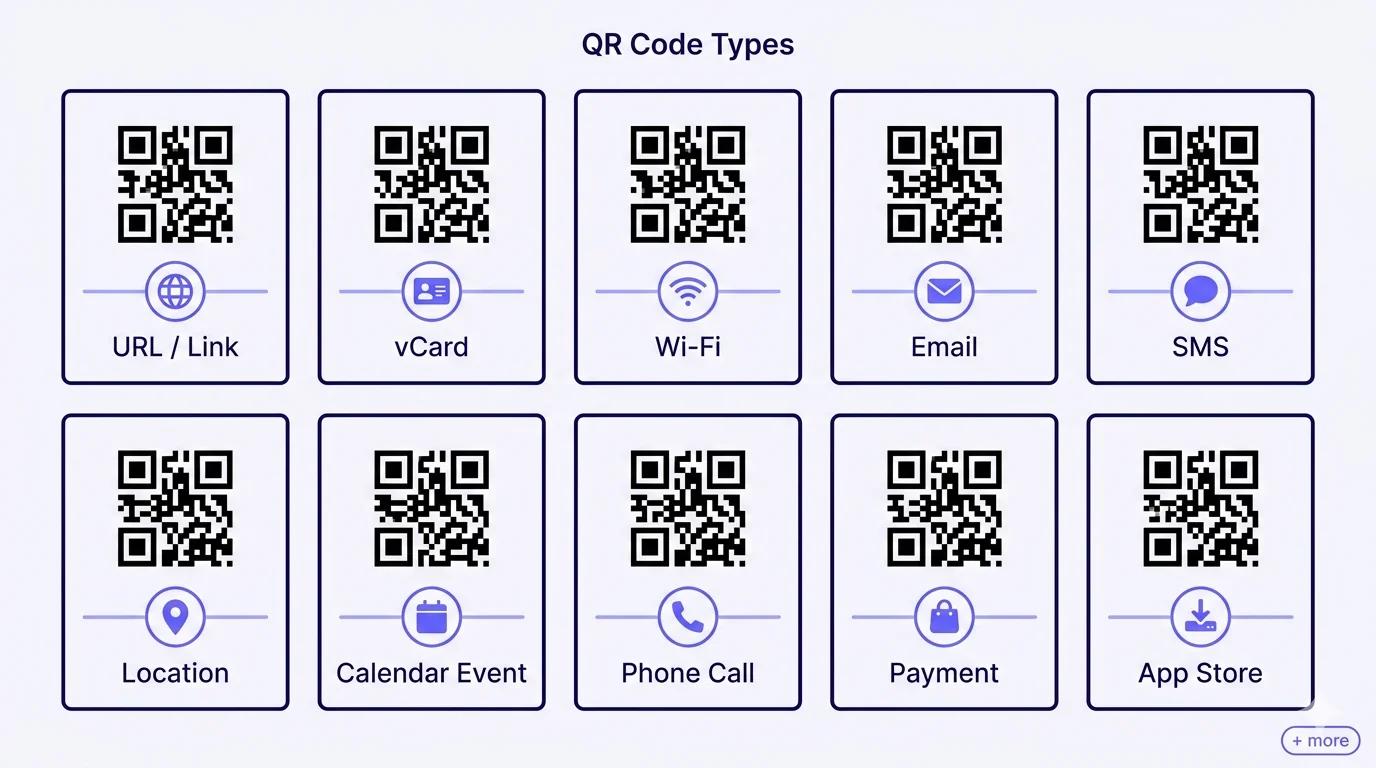
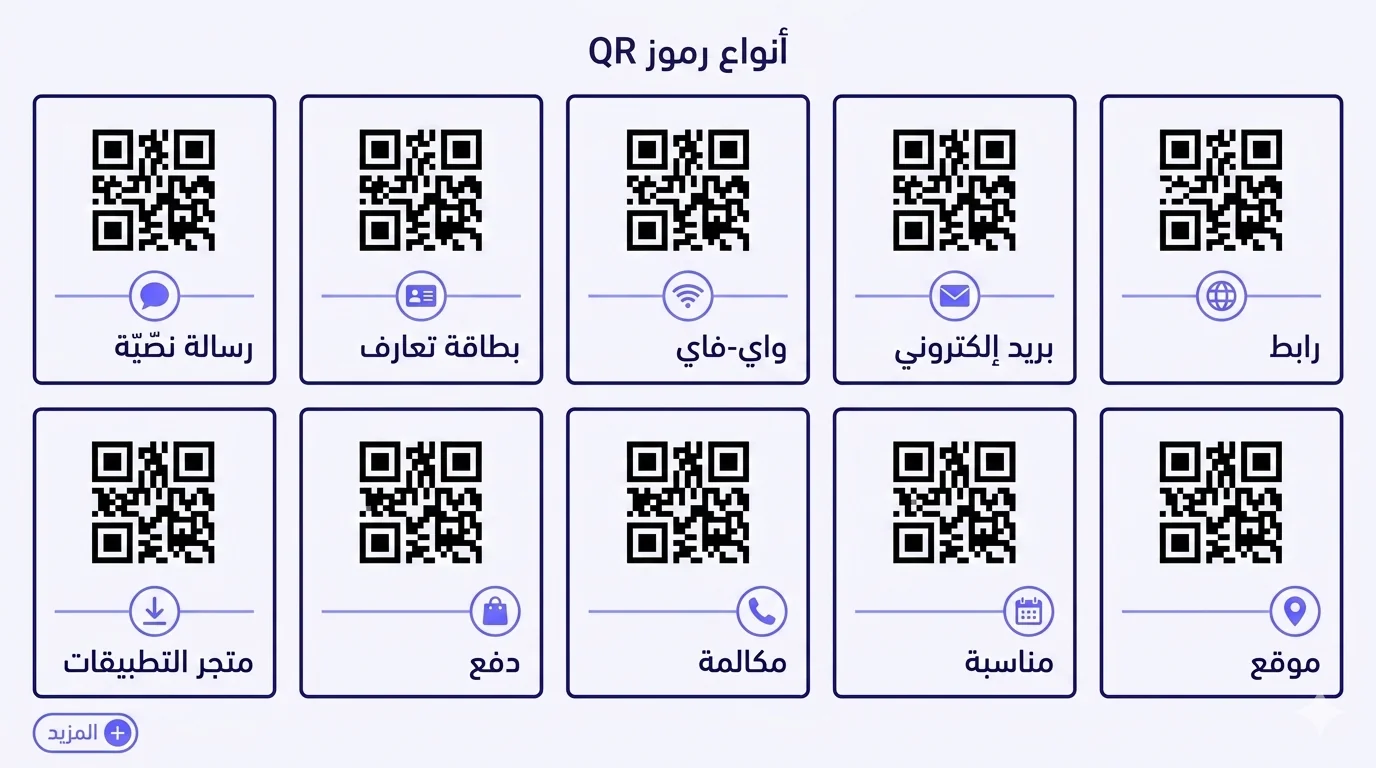
Most people think of QR codes as 'the thing that opens a website'. That's the URL type — by far the most common, but only one of at least ten distinct QR types that modern phones decode natively. Each type does a specific job: vCard saves a contact, Wi-Fi joins a network, Email opens a pre-filled draft, SMS opens a pre-filled message, Location opens maps with the destination set, Calendar opens an event-add prompt, Phone Call opens the dialler with the number entered, Payment routes a transaction, App Store opens the install page. Matching the right type to the right surface is the entire craft of QR-codes-as-tooling — pick wrong and you're forcing a clunkier flow than necessary.
This piece is the practical catalog: what each type encodes, when it's the right choice, the gotchas per type, and how MENA-specific contexts (Arabic-language fields, local payment schemes, bilingual destination pages) interact with each one. Bookmark it as the quick-reference for choosing the right QR type for whatever you're building.
1. URL / Link — the universal default
Encodes a web address. Scanning opens the URL in the phone's default browser. Used for: pretty much every marketing campaign, landing-page destination, menu page, product page, ticket page, payment-checkout link, app-deep-link, anything web-resolvable. The vast majority of public-facing QR codes are URL type.
When to use
When the destination is anything on the web. Default choice. Always default to dynamic URL QR (short URL resolving to your actual destination, editable later) rather than static URL QR (raw long URL baked into the QR pattern). Dynamic future-proofs against URL changes, broken links, and content updates.
Practical notes
Make sure your destination URL works on mobile — that's where 99%+ of scans happen. Test in Arabic-default mode for MENA-targeted campaigns. Avoid URLs requiring login walls that block first-time scan visitors. Use HTTPS — modern phones throw scary warnings on HTTP-only destinations.
2. vCard — digital business card
Encodes a structured contact card (name, title, organisation, multiple phones, emails, address, photo). Scanning prompts the recipient's phone to save the contact to their address book. Covered in depth in our dedicated vCard QR piece — here's the catalog summary.
When to use
Business cards (primary use), conference-badge contact exchange, speaker-slide 'connect with me' QR, hospitality staff cards, real-estate agent yard signs. Anywhere you'd want the recipient to add you as a contact.
Practical notes
Use Western phone-number digits (0-9), never Arabic-Indic (٠-٩) — the latter break the recipient's dialler. Always international phone format (+966, +971, etc.). Photo should be under 100 KB to keep the QR pattern reasonable. Default to dynamic so you can update without reprinting.
3. Wi-Fi — one-tap network join
Encodes Wi-Fi network credentials (SSID, password, security type). Scanning prompts the phone to join the network without typing the password. Covered in depth in our Wi-Fi QR piece — summary here.
When to use
Cafes, hotels, AirBnBs, conference venues, offices providing guest network, anywhere visitors regularly ask for the Wi-Fi password. Saves the verbal/written exchange of long random passwords.
Practical notes
Always run a guest network — never publish the main internal Wi-Fi via QR. Use ASCII-only passwords (no Arabic characters, no fancy symbols). Watch for special-character escaping in the password (semicolons, backslashes, quotes break the encoding format on some phones).
4. Email — pre-filled email draft
Encodes an email address with optional pre-filled subject and body. Scanning opens the phone's default email app with a new draft addressed to the encoded recipient, subject and body filled in.
When to use
Customer-support contact QR, inquiry-form replacement, sales-lead QR with a pre-filled 'I'm interested in...' subject, return-process initiation, complaint-submission flow. Anywhere you want the recipient to send you an email with structured initial content.
Practical notes
The recipient's email app must be configured (some phone users have no email app set up at all — the QR fails silently for them). The pre-filled subject and body get URL-encoded; Arabic content works but should be tested across iOS and Android because the encoding-decoding round-trip occasionally introduces character mangling. Don't make the subject so long it gets truncated in mail-app preview.
5. SMS — pre-filled SMS draft
Encodes a phone number with optional pre-filled message body. Scanning opens the phone's SMS app with a new message addressed to the number, body pre-filled.
When to use
Less common in MENA than in some other regions because WhatsApp largely replaces SMS for both business-and-consumer messaging in the region — but valid for: appointment-confirmation flows, opt-in to text alerts, two-factor enrolment, sweepstakes/contest entries, voting in TV-show-style polls.
Practical notes
For MENA, often a WhatsApp link via wa.me/+countryCode... encoded as a URL QR is more effective than a true SMS QR — covered in detail in our WhatsApp Business QR piece. Use SMS QR only when SMS is genuinely the desired channel and the recipient demographic actually uses SMS.
6. Location — open in maps app
Encodes geographic coordinates (latitude/longitude) with optional pre-filled label. Scanning opens the phone's default maps app with the location pinned and navigation immediately available.
When to use
Wedding venues, hotel addresses on confirmation pages, retail-store-finder QRs, real-estate listing displays, event-location signage at festivals, tour-route waypoints, delivery-instruction QRs. Especially valuable in MENA contexts where street addresses are unreliable and Saudi/Egyptian/Gulf navigation often relies heavily on GPS rather than postal addresses.
Practical notes
Recipient's phone routes to the default maps app — Apple Maps on iOS, Google Maps on Android by default. For Arabic users, both apps handle Arabic place labels and RTL directions correctly. For especially complex destinations (large compound entrances, specific gate numbers), include the label text within the QR encoding so the destination has a meaningful name, not just coordinates.
7. Calendar Event — add to calendar
Encodes a calendar event (title, start/end time, location, description, optional reminder). Scanning prompts the phone to add the event to the default calendar app.
When to use
Event invitations on physical mailers, conference signage, wedding invitations, school-event reminders, religious-observance reminders (Ramadan iftar times, Eid prayer times for specific mosques, Hajj-pilgrim event schedules). Effective when you want recipients to actively schedule something rather than just remember it.
Practical notes
Time zones matter — the QR should encode the event's TIMEZONE explicitly (Asia/Riyadh, Africa/Cairo, etc.) so a recipient in a different timezone sees the correctly-localised time. Recurring events (every Friday) are supported by the underlying iCal standard; not all QR generators expose recurrence fields cleanly.
8. Phone Call — one-tap dialler
Encodes a phone number. Scanning opens the phone's dialler with the number pre-filled; the recipient taps to call.
When to use
Customer-service contact, restaurant-reservation phone, taxi-dispatch number, emergency contact at events, hospitality-concierge numbers, real-estate agent phone QR. When the desired action is specifically 'call me'.
Practical notes
Always use international format (+966 50 123 4567, not 050 123 4567 or 0501234567 in country-local format). Western digits, never Arabic-Indic. If the phone number could change (e.g. centralised customer-service line that the company might reroute), use a dynamic URL QR pointing to a 'tap to call' page on your site instead, so you can change the underlying number without reprinting.
9. Payment — initiate a transaction
Encodes a payment request (merchant ID, amount, currency, idempotency token). Scanning opens the customer's wallet app with the transaction pre-filled. Behavior varies meaningfully by region — covered in depth in our mada/MEEZA/KNET piece for MENA-specific routing.
When to use
Retail point-of-sale (especially small merchants who don't have a card terminal), peer-to-peer transfers, donation collection at events, parking-meter payment, food-delivery driver collection, restaurant table-pay-the-bill flows.
Practical notes
Different schemes (mada, MEEZA, KNET, AAID/Aani, Benefit, and international Visa/Mastercard) route differently — the QR itself is largely scheme-agnostic; the wallet chooses the rail. Static payment QRs (no specific amount, customer types) are different from dynamic payment QRs (per-transaction amount + token generated at sale time). For MENA business deployment, dynamic is the right default for most use cases beyond very-small-merchant settings.
10. App Store — install link
Encodes a link to a specific app on the relevant app store (Apple App Store for iOS, Google Play Store for Android, sometimes Huawei AppGallery). Scanning opens the store page for the app, where the user can install. Modern implementations use smart 'universal' links that detect the user's OS and route to the correct store automatically.
When to use
App-marketing campaigns, point-of-sale signage promoting the merchant's loyalty app, event-signage promoting the event app, in-store kiosks promoting the brand app. Anywhere a physical surface needs to drive app installs without making the user search the store manually.
Practical notes
Use a universal-link service (Apple App Site Association + Android App Links, or a third-party like Branch, AppsFlyer, Firebase Dynamic Links, or your own custom router) so a single QR routes iOS users to App Store and Android users to Play Store automatically. A bare-URL QR pointing only to one platform's store creates friction for users on the other platform.
Less-common but worth knowing
Other types that exist but are less commonly used:
- Plain Text — encodes arbitrary text; scanning displays it as readable text without opening any app. Used for short instructions, secret codes, simple messages.
- Geo (Open in Maps as URL) — a URL-typed QR that opens to a specific maps URL (Google Maps share link, Apple Maps URL, what3words address). Functionally equivalent to Location type but uses URL encoding instead of geo: protocol.
- Crypto wallet address — encodes a wallet address (Bitcoin, Ethereum, etc.) for cryptocurrency transactions. Niche but well-defined.
- EPC payment (Europe) — European-specific payment QR standard. Distinct from MENA payment-scheme QRs.
- Identity / verification — encodes signed identity tokens for ticket validation, attendance proof, age verification at venues. Highly application-specific.
Choosing the right type — three questions
When designing a QR placement, ask:
- What's the specific action you want the recipient to take? (Open a page → URL; save a contact → vCard; join Wi-Fi → Wi-Fi; navigate to a location → Location; make a call → Phone; etc.)
- Will the destination/content change over time? If yes, use a dynamic URL QR pointing to a stable redirect, regardless of what the 'true' content type is. The dynamic-URL routing layer is more flexible than baking content directly into the QR.
- What's the typical recipient device? Most types work on every modern phone, but some (Wi-Fi UTF-8 passwords, App Store universal links, Calendar timezone handling) have asymmetric reliability between iOS and older Android. Test on both before committing to print.
How QRA handles types
QRA's QR generator supports all ten types covered above plus several less-common ones. The wizard guides you through the specific fields for each type — when you pick 'Wi-Fi' you get SSID/password/security fields; when you pick 'vCard' you get name/phone/email/photo fields; etc. Every QR is dynamic by default — the QR encodes a short URL that resolves through QRA's routing layer, so you can change the underlying content (or even change the type — from a Wi-Fi to a URL, or from a vCard to a Calendar invite) without reprinting the QR. Bilingual destination handling, Arabic-default rendering, multilingual content delivery, scan analytics per QR — all part of the platform regardless of which type you pick.
The short answer
There are at least ten distinct QR types modern phones decode natively, each doing a specific job. URL is the universal default; vCard for contacts; Wi-Fi for networks; Email/SMS for pre-filled messages; Location for navigation; Calendar for events; Phone for dialling; Payment for transactions; App Store for installs. Matching type to use case eliminates friction the recipient would otherwise have to work through. When the content might change, prefer a dynamic URL QR routing to an editable destination — that adds flexibility that bare content QRs lack. Pick the right type, encode the right content, test on real devices, and the QR becomes invisible-infrastructure that just works for the user.
يعتقد معظم الناس أنّ رموز QR هي «الشيء الذي يفتح موقعاً». ذلك هو نوع الرابط — الأكثر شيوعاً بكثير، لكنّه واحد فقط من على الأقلّ عشرة أنواع QR مميّزة تفكّ ترميزها الهواتف الحديثة أصليّاً. كلّ نوع يقوم بوظيفة محدّدة: بطاقة التعارف تحفظ جهة اتّصال، الواي-فاي تنضمّ إلى شبكة، البريد يفتح مسوّدة معبّأة مسبقاً، الرسائل تفتح رسالة معبّأة مسبقاً، الموقع يفتح الخرائط بالوجهة محدّدة، التقويم يفتح موجّه إضافة مناسبة، المكالمة تفتح المُدوِّر بالرقم مدخلاً، الدفع يوجّه معاملة، متجر التطبيقات يفتح صفحة التثبيت. مطابقة النوع الصحيح بالسطح الصحيح هي حرفة استخدام-رموز-QR-كأداة بأكملها — اختر خاطئاً وأنت تفرض تدفّقاً أكثر ثقلاً ممّا يلزم.
هذا المقال هو الكتالوج العملي: ماذا يرمّز كلّ نوع، متى يكون الخيار الصحيح، المحاذير لكلّ نوع، وكيف تتفاعل سياقات الشرق الأوسط الخاصّة (حقول اللغة العربيّة، أنظمة الدفع المحلّيّة، صفحات الوجهة ثنائيّة اللغة) مع كلّ منها. احفظه كمرجع سريع لاختيار نوع QR الصحيح لأيّ شيء تبنيه.
١. الرابط — الافتراضي العالمي
يرمّز عنوان ويب. المسح يفتح الرابط في متصفّح الهاتف الافتراضي. يُستخدم لـ: تقريباً كلّ حملة تسويقيّة، وجهة صفحة هبوط، صفحة قائمة، صفحة منتج، صفحة تذكرة، رابط محاسبة، رابط عميق-لتطبيق، أيّ شيء قابل للحلّ-عبر-الويب. الغالبيّة العظمى من رموز QR المواجهة للجمهور هي نوع الرابط.
متى تستخدم
حين تكون الوجهة أيّ شيء على الويب. الخيار الافتراضي. تخلّف دائماً إلى QR رابط ديناميكي (رابط مختصر يحلّ إلى وجهتك الفعليّة، قابل للتعديل لاحقاً) بدلاً من QR رابط ثابت (رابط طويل خامّ مدمج في نمط QR). الديناميكي يحصّن المستقبل ضدّ تغييرات الرابط، الروابط المكسورة، وتحديثات المحتوى.
ملاحظات عمليّة
تأكّد من أنّ رابط وجهتك يعمل على الموبايل — حيث تحدث ٩٩٪+ من المسحات. اختبر في وضع عربي افتراضي للحملات الموجَّهة للشرق الأوسط. تجنّب الروابط التي تتطلّب جدران تسجيل دخول تحجب زوّار المسح للمرّة الأولى. استخدم HTTPS — الهواتف الحديثة تطلق تحذيرات مخيفة على الوجهات بـ HTTP-فقط.
٢. بطاقة التعارف — بطاقة عمل رقميّة
يرمّز بطاقة اتّصال منظّمة (اسم، مسمّى، مؤسّسة، عدّة هواتف، عناوين بريد، عنوان، صورة). المسح يطلب من هاتف المتلقّي حفظ جهة الاتّصال في دفتر عناوينه. مغطّى بالعمق في مقال QR vCard المخصّص — هنا ملخّص الكتالوج.
متى تستخدم
بطاقات العمل (الاستخدام الأساسي)، تبادل جهات اتّصال شارة المؤتمر، QR «تواصل معي» على شريحة المتحدّث، بطاقات موظّفي الضيافة، لافتات فناء وكلاء العقارات. أيّ مكان تريد فيه من المتلقّي إضافتك كجهة اتّصال.
ملاحظات عمليّة
استخدم أرقام هاتف غربيّة (0-9)، أبداً ليس عربيّة-هنديّة (٠-٩) — الأخيرة تكسر مُدوِّر المتلقّي. دائماً صيغة هاتف دوليّة (+966، +971، إلخ). الصورة يجب أن تكون تحت ١٠٠ كيلوبايت لإبقاء نمط QR معقولاً. تخلّف افتراضيّاً إلى الديناميكي لكي تستطيع التحديث دون إعادة طباعة.
٣. الواي-فاي — انضمام شبكة بنقرة واحدة
يرمّز بيانات شبكة الواي-فاي (SSID، كلمة السرّ، نوع الأمان). المسح يطلب من الهاتف الانضمام إلى الشبكة دون كتابة كلمة السرّ. مغطّى بالعمق في مقال QR الواي-فاي — الملخّص هنا.
متى تستخدم
المقاهي، الفنادق، عقارات AirBnB، قاعات المؤتمرات، المكاتب التي توفّر شبكة ضيوف، أيّ مكان يطلب فيه الزوّار بانتظام كلمة سرّ الواي-فاي. يوفّر التبادل اللفظي/المكتوب لكلمات السرّ العشوائيّة الطويلة.
ملاحظات عمليّة
شغّل دائماً شبكة ضيوف — لا تنشر أبداً الواي-فاي الداخلي الرئيسي عبر QR. استخدم كلمات سرّ ASCII-فقط (لا أحرف عربيّة، لا رموز فاخرة). انتبه لتعشيق الأحرف الخاصّة في كلمة السرّ (الفواصل المنقوطة، الشرطات المائلة الخلفيّة، علامات الاقتباس تكسر صيغة الترميز على بعض الهواتف).
٤. البريد — مسوّدة بريد معبّأة مسبقاً
يرمّز عنوان بريد إلكتروني مع موضوع وجسم اختياريَّين معبّأَين مسبقاً. المسح يفتح تطبيق البريد الافتراضي للهاتف بمسوّدة جديدة موجَّهة للمتلقّي المُرمَّز، الموضوع والجسم معبّأَين.
متى تستخدم
QR اتّصال دعم العملاء، بديل نموذج الاستفسار، QR عميل محتمل لمبيعات بموضوع «أنا مهتمّ بـ...» معبّأ مسبقاً، بدء عمليّة الإرجاع، تدفّق تقديم شكوى. أيّ مكان تريد فيه من المتلقّي إرسال بريد لك بمحتوى أوّلي منظَّم.
ملاحظات عمليّة
تطبيق بريد المتلقّي يجب أن يكون مكوَّناً (بعض مستخدمي الهاتف ليس لديهم تطبيق بريد معدّ إطلاقاً — QR يفشل بصمت لهم). الموضوع والجسم المعبّآن يُرمَّزان بـ URL؛ المحتوى العربي يعمل لكنّه يجب أن يُختبر عبر iOS وأندرويد لأنّ دورة الترميز-فكّ الترميز تُدخل أحياناً تشويش حروف. لا تجعل الموضوع طويلاً جدّاً بحيث يُقتطع في معاينة تطبيق البريد.
٥. الرسائل النصّيّة — مسوّدة SMS معبّأة مسبقاً
يرمّز رقم هاتف مع جسم رسالة اختياري معبّأ مسبقاً. المسح يفتح تطبيق SMS للهاتف برسالة جديدة موجَّهة للرقم، الجسم معبّأ مسبقاً.
متى تستخدم
أقلّ شيوعاً في الشرق الأوسط من بعض المناطق الأخرى لأنّ واتساب يحلّ محلّ SMS إلى حدّ كبير لكلّ من رسائل الأعمال-والمستهلك في المنطقة — لكنّه صالح لـ: تدفّقات تأكيد الموعد، الاشتراك في تنبيهات نصّيّة، تسجيل المصادقة الثنائيّة، إدخالات السحوبات/المسابقات، التصويت في استطلاعات بنمط برامج التلفزيون.
ملاحظات عمليّة
للشرق الأوسط، غالباً ما يكون رابط واتساب عبر wa.me/+countryCode... مُرمَّز كـ QR رابط أكثر فعّاليّة من QR SMS حقيقي — مغطّى بالتفصيل في مقال QR واتساب للأعمال. استخدم QR SMS فقط حين تكون SMS فعلاً القناة المرغوبة وكان جمهور المتلقّين يستخدم SMS فعلاً.
٦. الموقع — افتح في تطبيق الخرائط
يرمّز إحداثيّات جغرافيّة (خطّ الطول/العرض) مع تسمية اختياريّة معبّأة مسبقاً. المسح يفتح تطبيق الخرائط الافتراضي للهاتف بالموقع مثبّتاً والتنقّل متاحاً فوراً.
متى تستخدم
قاعات الأعراس، عناوين الفنادق على صفحات التأكيد، رموز QR لمحدّد متاجر التجزئة، عروض قوائم العقارات، لافتات موقع المناسبة في المهرجانات، نقاط مسار الجولة، رموز QR لتعليمات التوصيل. قيّم بشكل خاصّ في سياقات الشرق الأوسط حيث عناوين الشوارع غير موثوقة والتنقّل السعودي/المصري/الخليجي غالباً يعتمد بشدّة على GPS بدلاً من العناوين البريديّة.
ملاحظات عمليّة
هاتف المتلقّي يوجّه إلى تطبيق الخرائط الافتراضي — Apple Maps على iOS، Google Maps على أندرويد افتراضيّاً. للمستخدمين العرب، كلا التطبيقَين يتعاملان مع تسميات الأماكن العربيّة وتوجيهات RTL بشكل صحيح. للوجهات المعقّدة بشكل خاصّ (مداخل مجمّعات كبيرة، أرقام بوّابات محدّدة)، ضمّن نصّ التسمية في ترميز QR لكي يكون للوجهة اسم ذو معنى، لا مجرّد إحداثيّات.
٧. مناسبة التقويم — أضف إلى التقويم
يرمّز مناسبة تقويم (عنوان، وقت بدء/انتهاء، موقع، وصف، تذكير اختياري). المسح يطلب من الهاتف إضافة المناسبة إلى تطبيق التقويم الافتراضي.
متى تستخدم
دعوات المناسبات على المراسلات الفيزيائيّة، لافتات المؤتمرات، دعوات الأعراس، تذكيرات مناسبات المدرسة، تذكيرات الشعائر الدينيّة (أوقات إفطار رمضان، أوقات صلاة العيد لمساجد محدّدة، جداول مناسبات الحجّاج). فعّال حين تريد من المتلقّين جدولة شيء بنشاط بدلاً من مجرّد تذكّره.
ملاحظات عمليّة
المناطق الزمنيّة تهمّ — QR يجب أن يرمّز منطقة زمنيّة المناسبة صراحةً (Asia/Riyadh، Africa/Cairo، إلخ) لكي يرى متلقٍّ في منطقة زمنيّة مختلفة الوقت المحلّي الصحيح. المناسبات المتكرّرة (كلّ جمعة) مدعومة بمعيار iCal الأساسي؛ ليست كلّ مولّدات QR تعرض حقول التكرار بشكل نظيف.
٨. المكالمة — مُدوِّر بنقرة واحدة
يرمّز رقم هاتف. المسح يفتح المُدوِّر بالرقم معبّأً مسبقاً؛ يضغط المتلقّي للاتّصال.
متى تستخدم
اتّصال خدمة العملاء، هاتف حجز المطعم، رقم إرسال سيّارة الأجرة، جهة اتّصال الطوارئ في المناسبات، أرقام كونسيرج الضيافة، QR هاتف وكيل العقارات. حين يكون الإجراء المرغوب تحديداً «اتّصل بي».
ملاحظات عمليّة
استخدم دائماً صيغة دوليّة (+966 50 123 4567، لا 050 123 4567 أو 0501234567 بصيغة محلّيّة للبلد). أرقام غربيّة، أبداً ليس عربيّة-هنديّة. إن كان رقم الهاتف قد يتغيّر (مثلاً خطّ خدمة عملاء مركزي قد تعيد الشركة توجيهه)، استخدم QR رابط ديناميكي يشير إلى صفحة «اضغط للاتّصال» على موقعك بدلاً من ذلك، لكي تستطيع تغيير الرقم الأساسي دون إعادة طباعة.
٩. الدفع — ابدأ معاملة
يرمّز طلب دفع (معرّف التاجر، المبلغ، العملة، رمز تفرّد). المسح يفتح تطبيق محفظة العميل بالمعاملة معبّأة مسبقاً. السلوك يتفاوت بشكل ملموس بالمنطقة — مغطّى بالعمق في مقال مدى/ميزا/كي-نت للتوجيه الخاصّ بالشرق الأوسط.
متى تستخدم
نقطة بيع التجزئة (خاصّةً التجّار الصغار الذين ليس لديهم محطّة بطاقات)، تحويلات بين الأقران، جمع التبرّعات في المناسبات، دفع عدّاد المواقف، جمع سائق توصيل الطعام، تدفّقات ادفع-الفاتورة على طاولة المطعم.
ملاحظات عمليّة
أنظمة مختلفة (مدى، ميزا، كي-نت، آيد/عاني، بنفت، وفيزا/ماستركارد الدوليّة) توجّه بشكل مختلف — QR نفسه إلى حدّ كبير محايد للنظام؛ المحفظة تختار القضيب. رموز QR الدفع الثابتة (بلا مبلغ محدّد، يكتب العميل) مختلفة عن رموز QR الدفع الديناميكيّة (مبلغ + رمز لكلّ معاملة مولَّد وقت البيع). لنشر أعمال الشرق الأوسط، الديناميكي هو الافتراضي الصحيح لمعظم حالات الاستخدام وراء إعدادات التجّار الصغار جدّاً.
١٠. متجر التطبيقات — رابط التثبيت
يرمّز رابطاً إلى تطبيق محدّد على متجر التطبيقات ذي الصلة (Apple App Store لـ iOS، Google Play Store لأندرويد، أحياناً Huawei AppGallery). المسح يفتح صفحة المتجر للتطبيق، حيث يستطيع المستخدم التثبيت. التطبيقات الحديثة تستخدم روابط «عالميّة» ذكيّة تكتشف نظام تشغيل المستخدم وتوجّه إلى المتجر الصحيح تلقائيّاً.
متى تستخدم
حملات تسويق التطبيقات، لافتات نقطة بيع تروّج لتطبيق ولاء التاجر، لافتات مناسبات تروّج لتطبيق المناسبة، أكشاك داخل المتاجر تروّج لتطبيق العلامة. أيّ مكان يحتاج فيه السطح الفيزيائي إلى دفع تثبيتات التطبيق دون جعل المستخدم يبحث في المتجر يدويّاً.
ملاحظات عمليّة
استخدم خدمة رابط عالمي (Apple App Site Association + Android App Links، أو طرف ثالث مثل Branch أو AppsFlyer أو Firebase Dynamic Links، أو موجّه مخصّص خاصّ بك) لكي يوجّه رمز QR واحد مستخدمي iOS إلى App Store ومستخدمي أندرويد إلى Play Store تلقائيّاً. QR رابط عاري يشير فقط إلى متجر منصّة واحدة يُحدث احتكاكاً للمستخدمين على المنصّة الأخرى.
أقلّ شيوعاً لكن يستحقّ المعرفة
أنواع أخرى موجودة لكنّها أقلّ استخداماً:
- نصّ عاديّ — يرمّز نصّاً عشوائيّاً؛ المسح يعرضه كنصّ قابل للقراءة دون فتح أيّ تطبيق. يُستخدم لتعليمات قصيرة، رموز سرّيّة، رسائل بسيطة.
- Geo (افتح في الخرائط كرابط) — QR من نوع رابط يفتح إلى رابط خرائط محدّد (رابط مشاركة Google Maps، رابط Apple Maps، عنوان what3words). معادل وظيفيّاً لنوع الموقع لكنّه يستخدم ترميز URL بدلاً من بروتوكول geo:.
- عنوان محفظة عملة رقميّة — يرمّز عنوان محفظة (Bitcoin، Ethereum، إلخ) لمعاملات العملات الرقميّة. متخصّص لكن معرَّف بوضوح.
- دفع EPC (أوروبا) — معيار QR دفع خاصّ بأوروبا. متميّز عن رموز QR أنظمة الدفع في الشرق الأوسط.
- هويّة / تحقّق — يرمّز رموز هويّة موقَّعة للتحقّق من التذاكر، إثبات الحضور، التحقّق من السنّ في الأماكن. خاصّ-بالتطبيق بشدّة.
اختيار النوع الصحيح — ثلاثة أسئلة
حين تصمّم موضع QR، اسأل:
- ما الإجراء المحدّد الذي تريد من المتلقّي اتّخاذه؟ (فتح صفحة → رابط؛ حفظ جهة اتّصال → بطاقة تعارف؛ الانضمام إلى الواي-فاي → واي-فاي؛ التنقّل إلى موقع → موقع؛ إجراء مكالمة → هاتف؛ إلخ.)
- هل ستتغيّر الوجهة/المحتوى بمرور الوقت؟ إن نعم، استخدم QR رابط ديناميكي يشير إلى تحويل مستقرّ، بغضّ النظر عن نوع المحتوى «الحقيقي». طبقة توجيه الرابط الديناميكي أكثر مرونة من خبز المحتوى مباشرةً في QR.
- ما جهاز المتلقّي النموذجي؟ معظم الأنواع تعمل على كلّ هاتف حديث، لكنّ بعضها (كلمات سرّ الواي-فاي UTF-8، روابط متجر التطبيقات العالميّة، التعامل مع منطقة زمنيّة التقويم) لديها موثوقيّة غير متماثلة بين iOS وأندرويد الأقدم. اختبر على كليهما قبل الالتزام بالطباعة.
كيف تتعامل QRA مع الأنواع
مولّد QR في QRA يدعم الأنواع العشرة المغطّاة أعلاه إضافةً إلى عدّة أقلّ شيوعاً. المعالج يرشدك عبر الحقول المحدّدة لكلّ نوع — حين تختار «واي-فاي» تحصل على حقول SSID/كلمة السرّ/نوع الأمان؛ حين تختار «بطاقة تعارف» تحصل على حقول الاسم/الهاتف/البريد/الصورة؛ إلخ. كلّ QR ديناميكي افتراضيّاً — QR يرمّز رابطاً مختصراً يحلّ عبر طبقة توجيه QRA، لكي تستطيع تغيير المحتوى الأساسي (أو حتّى تغيير النوع — من واي-فاي إلى رابط، أو من بطاقة تعارف إلى دعوة تقويم) دون إعادة طباعة QR. تعامل وجهة ثنائيّة اللغة، تصيير عربي افتراضي، توصيل محتوى متعدّد اللغات، تحليلات مسح لكلّ QR — كلّها جزء من المنصّة بغضّ النظر عن النوع الذي تختاره.
الإجابة المختصرة
هناك على الأقلّ عشرة أنواع QR مميّزة تفكّ ترميزها الهواتف الحديثة أصليّاً، كلّ منها يقوم بوظيفة محدّدة. الرابط هو الافتراضي العالمي؛ بطاقة التعارف لجهات الاتّصال؛ الواي-فاي للشبكات؛ البريد/الرسائل للرسائل المعبّأة مسبقاً؛ الموقع للتنقّل؛ التقويم للمناسبات؛ الهاتف للمُدوِّر؛ الدفع للمعاملات؛ متجر التطبيقات للتثبيتات. مطابقة النوع بحالة الاستخدام يلغي الاحتكاك الذي كان على المتلقّي العمل عبره. حين قد يتغيّر المحتوى، فضّل QR رابط ديناميكي يوجّه إلى وجهة قابلة للتعديل — هذا يضيف مرونة تفتقر إليها رموز QR المحتوى العاري. اختر النوع الصحيح، رمّز المحتوى الصحيح، اختبر على أجهزة حقيقيّة، ويصبح QR بنية تحتيّة غير مرئيّة تعمل ببساطة للمستخدم.
Ready to make a smarter QR?جاهز لإنشاء رمز QR أذكى؟
Sign up free — no card needed. Track every scan, edit destinations anytime.سجّل مجاناً — بدون بطاقة. تتبّع كل عملية مسح وعدّل الوجهة في أي وقت.