How to Make a QR Code for a PDF (And Why Most People Do It Wrong)كيف تنشئ رمز QR لـ PDF (ولماذا يفعلها معظم الناس بشكل خاطئ)
Scan a QR, the PDF opens on the phone — it sounds simple. The wrong way is to upload the PDF to a free Drive/Dropbox link, encode that URL into a static QR, and lose access the moment the file moves or the free tier expires. The right way is to host the PDF on stable infrastructure, point a dynamic QR at it, and swap the file over time without reprinting. Here's the full setup including the Arabic-PDF rendering edge cases.امسح QR، يفتح PDF على الهاتف — يبدو الأمر بسيطاً. الطريقة الخاطئة هي رفع PDF إلى رابط Drive/Dropbox مجّاني، ترميز ذلك الرابط في QR ثابت، وخسارة الوصول لحظة انتقال الملفّ أو انتهاء الطبقة المجّانيّة. الطريقة الصحيحة هي استضافة PDF على بنية تحتيّة مستقرّة، توجيه QR ديناميكي إليه، وتبديل الملفّ عبر الزمن دون إعادة طباعة. إليك الإعداد الكامل بما في ذلك الحالات الطرفيّة لتصيير PDF بالعربيّة.
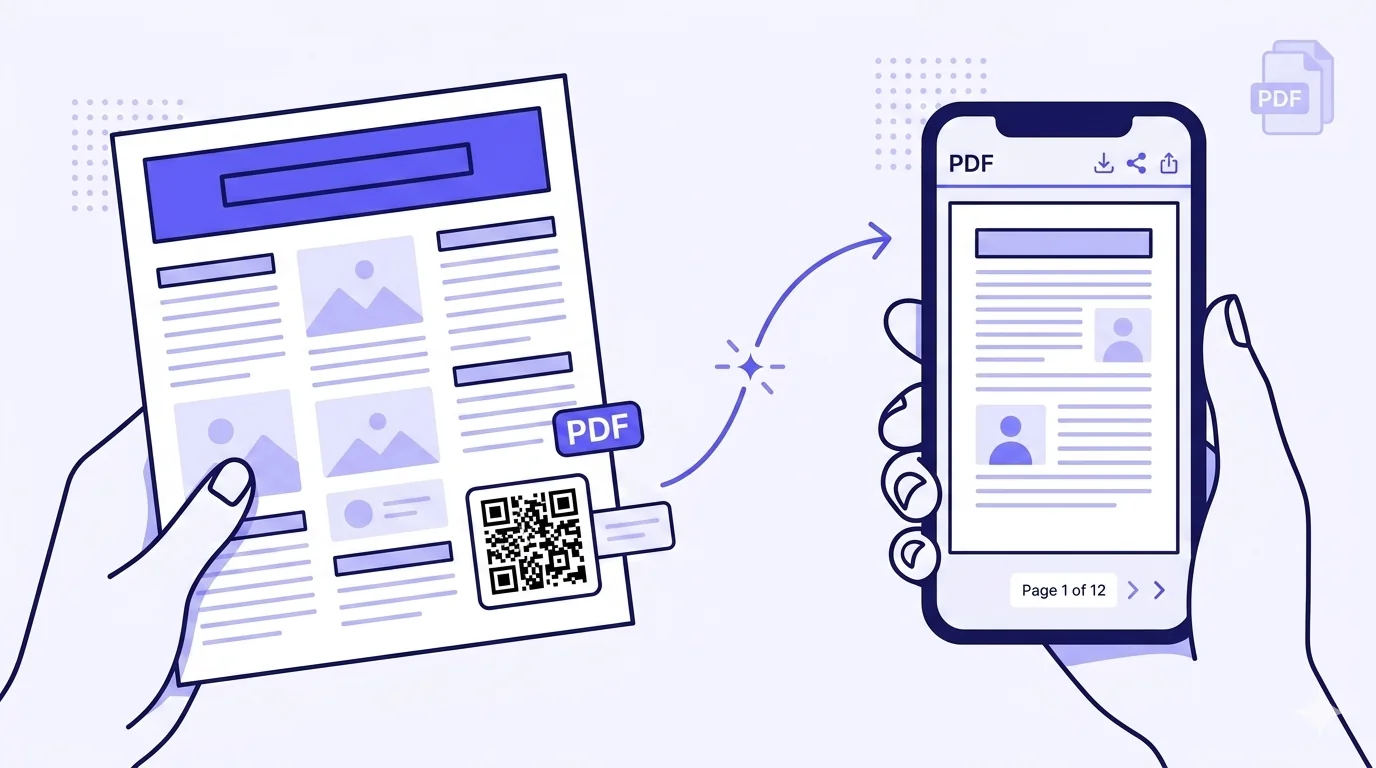
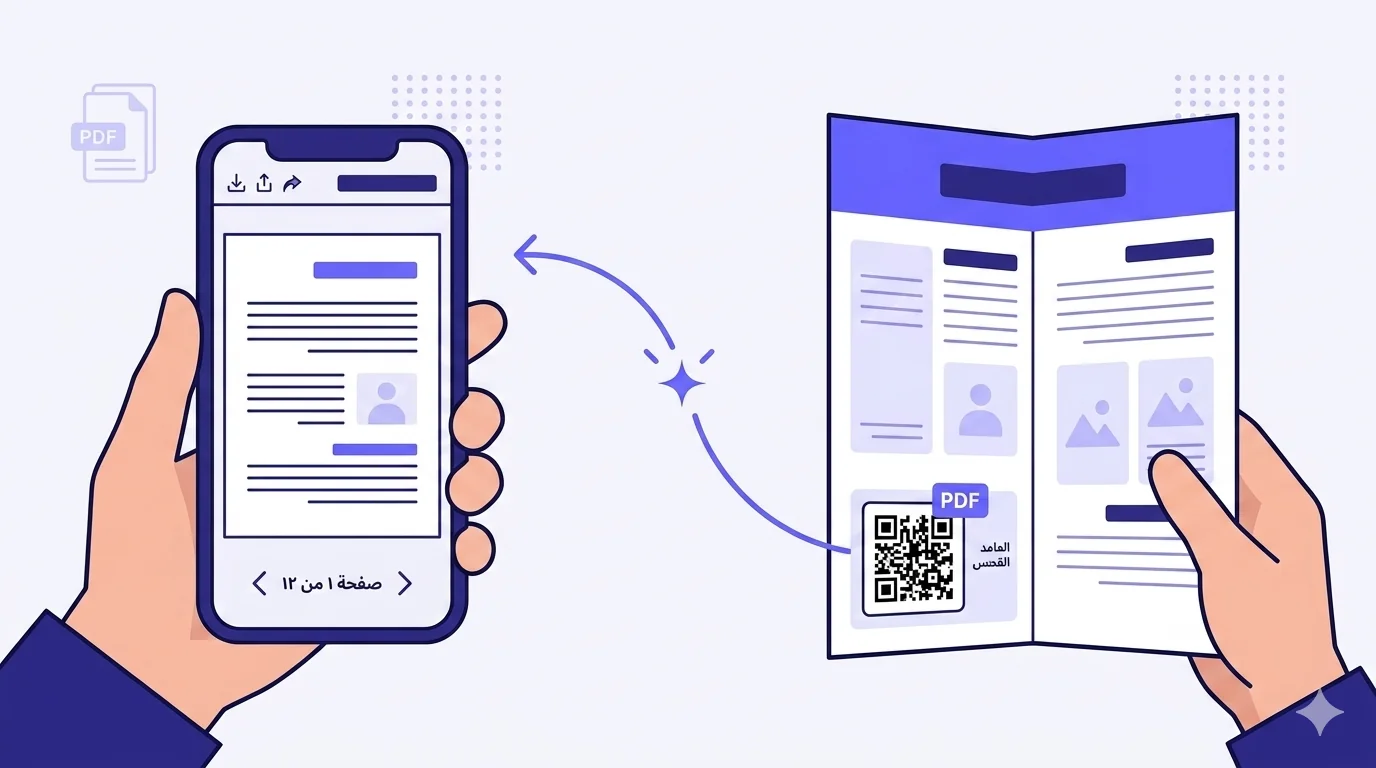
'Make a QR code that opens a PDF when scanned' is one of the most common QR requests in MENA business contexts: a restaurant wants the menu PDF behind a table-tent QR, a real-estate agent wants the property brochure PDF behind a yard-sign QR, a school wants the curriculum PDF behind the registration-packet QR, an investor-relations team wants the prospectus PDF behind the conference-handout QR. The flow seems trivial — generate QR, point at PDF URL, print. Job done.
It's almost never done well. The most common path is to upload the PDF to a personal Google Drive or Dropbox, copy the public-share link, paste it into a free QR generator, download the static QR, print at scale. The result works for a few months and then quietly fails: the file moves, the share link expires, the personal storage tier hits its quota, the employee who set it up leaves the company and revokes access on their way out. Every printed copy of the QR becomes useless, and there's no path to fix it without reprinting. This piece is the full setup done right — including the Arabic-PDF rendering nuances almost nobody covers.
What makes a PDF QR work reliably
Three properties matter:
- The PDF lives on stable, controlled hosting where the URL won't change and access won't expire. NOT personal cloud-drive share links.
- The QR pointing at the PDF is dynamic, so the destination can be updated when the PDF inevitably needs revising — without reprinting the QR.
- The PDF itself renders correctly on mobile. Most do; some don't, especially Arabic-content PDFs created with certain non-standard tools.
Get those three right and a PDF QR works for years. Get any of them wrong and the print run becomes a slow-rolling support headache.
Where to host the PDF
Ranked from worst to best:
Worst — personal Google Drive / Dropbox / OneDrive shared links
These work today and might work tomorrow, but they're personal-account-tied. The employee leaves, the account gets archived, the quota gets hit, the share permissions get accidentally revoked when someone tidies up. Free-tier quota limits are the most common failure — once you exceed them, public access can be throttled or rate-limited. Avoid for any production use, regardless of how convenient it feels in the moment.
Acceptable — corporate / business Google Drive, Dropbox, OneDrive
Business-tier accounts owned by the company (not by an individual employee) are meaningfully more stable. They're tied to the organisation's billing, survive employee departures, and have higher quotas. Still subject to share-link revocation, account migration, and platform-specific quirks. Acceptable as a fallback; not ideal as a primary.
Better — purpose-built file-hosting services
Services designed for stable file-hosting (AWS S3 with public-read, Cloudflare R2 with public endpoint, Bunny.net, Backblaze B2) host the PDF at a permanent URL on infrastructure designed for production use. Cost is minimal — pennies per month for typical PDF sizes — and the URL is stable as long as you maintain the storage bucket. Requires technical setup, but once configured stays that way for years.
Best — your own domain
Host the PDF on your own domain (yoursite.com/brochure.pdf, yoursite.com/menu.pdf, etc.). The URL is permanently yours, the file's discoverable by search engines (good for SEO if relevant), and you have full control over the hosting infrastructure. Most websites can serve a static PDF trivially — drop it in the public folder of your site, deploy, done.
Best for QR-specifically — dynamic QR pointing to ANY host
Regardless of where you host the PDF, use a DYNAMIC QR pointing to it. The QR encodes a short URL on your QR provider's domain (e.g. qra.cc/p/abc123) which redirects to wherever the PDF actually lives. If the PDF moves — from Google Drive to your own domain, from one cloud bucket to another, from version 1 to version 2 — you update the destination URL once in the QR dashboard, and every printed QR keeps working without modification.
Direct PDF link vs landing-page intermediary
Two architectural choices for what the QR destination resolves to:
Option A — Direct PDF link (the QR opens the PDF immediately)
QR scans → resolves to /your-pdf.pdf → phone's built-in PDF viewer opens the document. Cleanest, fastest user experience for visitors who definitely want the PDF. Best when the PDF is the entire content — menus, brochures, specifications, prospectuses.
Option B — Landing page with a download button
QR scans → resolves to a small landing page hosted on your domain → the page has a 'View / Download PDF' button → user taps to fetch the PDF. Adds one tap, but adds the ability to: capture an email before delivering the PDF (lead generation); show the PDF's purpose in a bilingual context; offer multiple file format options (PDF + EPUB + DOC); add tracking analytics for the conversion funnel separately from the QR scan; gate access if appropriate (login-walled content). Best when the PDF is high-value content where the extra friction is worth the additional control.
Practical recommendation: use Option A for low-stakes, high-frequency scans (restaurant menus, brochures); use Option B for higher-stakes assets (regulated industry documents, lead-gen materials, paid content). The dynamic QR routes either way — switch between Option A and Option B by changing the destination URL, no reprint.
Arabic PDF rendering — the edge cases
Most Arabic-content PDFs render correctly on modern phones. Both iOS Safari/QuickLook and Android Chrome/Google PDF viewer handle Arabic UTF-8 text, right-to-left flow, and Arabic ligatures. But there are real edge cases:
PDFs created with non-standard tools
PDFs generated by certain regional accounting software, older Microsoft Word for Arabic, or budget desktop-publishing tools sometimes embed Arabic text with non-standard glyph mappings or missing font subsetting. The PDF opens, but the Arabic text renders as mangled characters or 'tofu boxes' on phones that don't have matching fonts installed. Generate Arabic PDFs from modern tools (current Microsoft Word, Adobe InDesign with Arabic-script support, Apple Pages, Google Docs) which embed proper font information and produce universally-renderable PDFs.
Right-to-left layout breaking on viewer rotation
Some Arabic PDFs render correctly in portrait orientation but break the RTL flow on landscape rotation. Test the PDF in both orientations on at least one iPhone and one Android before printing the QR. If the landscape view breaks, the PDF's RTL configuration in its source document needs adjustment.
Photo-quality and file-size for mobile viewing
A PDF designed for desktop print at full resolution can be 50-100 MB. On a phone with marginal mobile signal, that's a 30-second download. Compress the mobile-distribution version of the PDF: target under 5 MB for typical multi-page documents, under 2 MB for short brochures. Modern PDF tools have 'reduce file size for mobile' export options that handle this without visibly degrading content quality.
Bilingual PDFs in one document vs separate per language
MENA business PDFs often contain Arabic-and-English content in the same document — first half in Arabic, second half in English, with a clear visual divider. This works fine for desktop viewing. For mobile, consider serving separate Arabic and English versions, each language having its own version. The dynamic QR can either route by detected device language (using browser locale) or land on a brief language-toggle page that lets the user choose. The user experience is meaningfully better than scrolling through a long single-document hybrid.
Common PDF QR mistakes
- Static QR pointing to a personal Drive share link — works until the employee leaves, the file moves, or the quota fills.
- Forgetting to use a dynamic QR — when v2 of the PDF is published 6 months later, you'd have to reprint every QR.
- Linking to the PDF on a domain you don't own (referrer's site, vendor's catalogue) — they can change the URL without warning.
- Linking to a PDF inside a personal Google Drive that requires Google login — many recipients without Google accounts can't open it.
- Massive uncompressed PDFs (50-100 MB) — fine for desktop, painful on mobile-data.
- PDFs generated with non-standard Arabic tools that render as garbled characters on devices without matching fonts.
- Single QR pointing to a hybrid bilingual PDF when separate language versions would deliver better UX.
How QRA handles PDF QRs
Generate a 'PDF' or 'File' type QR in QRA, upload your PDF (or supply a hosted URL), and QRA handles stable hosting and CDN delivery automatically — the PDF lives on QRA's infrastructure with a permanent URL, served from regional CDN edges (faster for MENA visitors than US/EU-only CDNs). The QR is dynamic by default — swap the underlying PDF anytime in the dashboard; every printed QR keeps working with the new content. Choose direct-PDF or landing-page-intermediary delivery mode per QR. Bilingual PDFs can be uploaded as separate files with auto-detection routing the visitor to the language version matching their device locale, with a manual toggle as fallback. Scan analytics show open vs download distinction, which language was chosen, what device and region — useful for measuring the actual reading audience separately from the print distribution.
The short answer
Don't host the PDF on a personal cloud-drive shared link. Don't encode the link in a static QR. The right stack is: stable hosting (your own domain or purpose-built file storage) + dynamic QR pointing to it (so future PDF revisions don't require reprinting) + properly-generated Arabic PDFs from modern tools (so the document renders correctly on all phones) + appropriate compression (under 5 MB for typical multi-page documents). Five minutes more setup; years more reliability.
«اصنع رمز QR يفتح PDF حين يُمسح» هو أحد أكثر طلبات QR شيوعاً في سياقات أعمال الشرق الأوسط: مطعم يريد PDF القائمة خلف رمز QR على حامل طاولة، وكيل عقارات يريد PDF كتيّب العقار خلف QR لافتة فناء، مدرسة تريد PDF المنهج خلف QR حزمة التسجيل، فريق علاقات مستثمرين يريد PDF نشرة الإصدار خلف QR كتيّب المؤتمر. يبدو التدفّق بديهيّاً — ولّد QR، وجّهه إلى رابط PDF، اطبع. انتهت المهمّة.
نادراً ما يُفعل بشكل جيّد. أكثر مسار شائع هو رفع PDF إلى Google Drive شخصي أو Dropbox، نسخ رابط المشاركة العامّ، لصقه في مولّد QR مجّاني، تنزيل QR الثابت، الطباعة بكميّة. تعمل النتيجة لبضعة أشهر ثمّ تفشل بهدوء: ينتقل الملفّ، تنتهي صلاحيّة رابط المشاركة، تصل الطبقة الشخصيّة إلى حصّتها، يترك الموظّف الذي أعدّ ذلك الشركة ويلغي الوصول في طريقه للخروج. تصبح كلّ نسخة مطبوعة من QR عديمة الفائدة، ولا يوجد مسار للإصلاح دون إعادة طباعة. هذا المقال هو الإعداد الكامل بشكل صحيح — بما في ذلك نوانس تصيير PDF بالعربيّة التي لا يغطّيها تقريباً أحد.
ما يجعل QR PDF يعمل بثبات
ثلاث خصائص تهمّ:
- PDF يعيش على استضافة مستقرّة ومتحكَّم بها حيث لن يتغيّر الرابط ولن تنتهي صلاحيّة الوصول. ليس روابط مشاركة سحابة شخصيّة.
- QR الذي يشير إلى PDF ديناميكي، لكي تستطيع الوجهة التحديث حين يحتاج PDF حتماً إلى مراجعة — دون إعادة طباعة QR.
- PDF نفسه يُصيَّر بشكل صحيح على الموبايل. معظمها يفعل؛ بعضها لا يفعل، خاصّةً PDF بمحتوى عربي مُنشأ بأدوات معيّنة غير قياسيّة.
احصل على الثلاث صحيحة ويعمل QR PDF لسنوات. أخطئ في أيّ منها وتصبح دفعة الطباعة صداع دعم بطيء التدحرج.
أين تستضيف PDF
مُرتَّب من الأسوأ إلى الأفضل:
الأسوأ — روابط مشاركة Google Drive / Dropbox / OneDrive الشخصيّة
تعمل اليوم وقد تعمل غداً، لكنّها مربوطة بحساب شخصي. يترك الموظّف، يُؤرشَف الحساب، تُتجاوز الحصّة، تُلغى أذونات المشاركة عرضيّاً حين يرتّب أحدهم. حدود حصّة الطبقة المجّانيّة هي أكثر فشل شائع — بمجرّد تجاوزها، يمكن أن يُخنَق الوصول العامّ أو يُحدّ من معدّله. تجنّبها لأيّ استخدام إنتاجي، بغضّ النظر عن مدى الراحة التي تشعر بها في اللحظة.
مقبول — حسابات Google Drive / Dropbox / OneDrive المؤسّسيّة
حسابات الطبقة التجاريّة المملوكة للشركة (لا لموظّف فردي) أكثر استقراراً بشكل ملموس. هي مربوطة بفواتير المؤسّسة، تنجو من رحيل الموظّفين، ولها حصص أعلى. لا تزال خاضعة لإلغاء روابط المشاركة، ترحيل الحسابات، وغرائب خاصّة بالمنصّة. مقبول كاحتياط؛ لا مثالي كأساس.
أفضل — خدمات استضافة ملفّات مخصّصة
الخدمات المصمّمة لاستضافة ملفّات مستقرّة (AWS S3 بقراءة عامّة، Cloudflare R2 بنقطة نهاية عامّة، Bunny.net، Backblaze B2) تستضيف PDF برابط دائم على بنية تحتيّة مصمّمة للاستخدام الإنتاجي. التكلفة قليلة — قروش شهريّاً لأحجام PDF نموذجيّة — والرابط مستقرّ ما دمت تحافظ على حاوية التخزين. يتطلّب إعداداً تقنيّاً، لكن بمجرّد تكوينه يبقى كذلك لسنوات.
الأفضل — نطاقك الخاصّ
استضف PDF على نطاقك الخاصّ (yoursite.com/brochure.pdf، yoursite.com/menu.pdf، إلخ). الرابط دائماً ملكك، الملفّ قابل للاكتشاف من قِبَل محرّكات البحث (جيّد لـ SEO إن كان ذا صلة)، ولديك تحكّم كامل ببنية الاستضافة. معظم المواقع تستطيع خدمة PDF ثابت بسهولة — أسقطه في مجلّد public للموقع، انشر، انتهى.
الأفضل لـ QR تحديداً — QR ديناميكي يشير إلى أيّ مضيف
بغضّ النظر عن أين تستضيف PDF، استخدم QR ديناميكي يشير إليه. يرمز QR رابطاً مختصراً على نطاق مزوّد QR لديك (مثل qra.cc/p/abc123) يُعيد التوجيه إلى أينما يعيش PDF فعلاً. إن انتقل PDF — من Google Drive إلى نطاقك الخاصّ، من حاوية سحابة إلى أخرى، من الإصدار ١ إلى ٢ — تحدّث رابط الوجهة مرّة واحدة في لوحة QR، وتبقى كلّ QR مطبوعة تعمل دون تعديل.
رابط PDF مباشر مقابل صفحة هبوط وسيطة
خياران معماريّان لما يحلّ إليه وجهة QR:
الخيار أ — رابط PDF مباشر (يفتح QR PDF فوراً)
QR يُمسح → يحلّ إلى /your-pdf.pdf → عارض PDF المدمج في الهاتف يفتح المستند. تجربة مستخدم أنظف وأسرع للزوّار الذين يريدون بالتأكيد PDF. الأفضل حين يكون PDF هو المحتوى بأكمله — قوائم طعام، كتيّبات، مواصفات، نشرات إصدار.
الخيار ب — صفحة هبوط بزرّ تنزيل
QR يُمسح → يحلّ إلى صفحة هبوط صغيرة مستضافة على نطاقك → الصفحة بها زرّ «عرض / تنزيل PDF» → يضغط المستخدم لإحضار PDF. يضيف نقرة واحدة، لكن يضيف القدرة على: التقاط بريد قبل توصيل PDF (توليد عملاء محتملين)؛ عرض الغرض من PDF في سياق ثنائي اللغة؛ تقديم خيارات صيغ ملفّات متعدّدة (PDF + EPUB + DOC)؛ إضافة تحليلات تتبّع لقمع التحويل بشكل منفصل عن مسح QR؛ تقييد الوصول إن كان مناسباً (محتوى محمي-بتسجيل-دخول). الأفضل حين يكون PDF محتوى عالي القيمة حيث يستحقّ الاحتكاك الإضافي التحكّم الإضافي.
التوصية العمليّة: استخدم الخيار أ لمسح متكرّر منخفض المخاطر (قوائم مطاعم، كتيّبات)؛ استخدم الخيار ب لأصول أعلى مخاطر (مستندات صناعة منظَّمة، مواد توليد عملاء محتملين، محتوى مدفوع). يوجّه QR الديناميكي في كلتا الحالتَين — بدّل بين الخيار أ و ب بتغيير رابط الوجهة، بلا إعادة طباعة.
تصيير PDF بالعربيّة — الحالات الطرفيّة
معظم PDF بمحتوى عربي تُصيَّر بشكل صحيح على الهواتف الحديثة. iOS Safari/QuickLook و Android Chrome/Google PDF viewer كلاهما يتعاملان مع نصّ UTF-8 العربي، تدفّق RTL، وروابط الحروف العربيّة. لكن توجد حالات طرفيّة حقيقيّة:
PDF أُنشئت بأدوات غير قياسيّة
PDF مولَّدة من برامج محاسبة إقليميّة معيّنة، أو Microsoft Word العربي الأقدم، أو أدوات نشر مكتبي اقتصاديّة أحياناً تدمج النصّ العربي بتعيينات حروف غير قياسيّة أو دون تضمين فرعي للخطّ. يفتح PDF، لكنّ النصّ العربي يُصيَّر كحروف مشوّشة أو «صناديق توفو» على الهواتف التي ليست لديها خطوط مطابقة مثبّتة. ولّد PDF بالعربيّة من أدوات حديثة (Microsoft Word الحالي، Adobe InDesign بدعم النصّ العربي، Apple Pages، Google Docs) التي تدمج معلومات خطّ مناسبة وتنتج PDF قابلة للتصيير عالميّاً.
تخطيط من اليمين إلى اليسار يكسر عند تدوير العارض
بعض PDF بالعربيّة تُصيَّر بشكل صحيح في اتّجاه عمودي لكنّها تكسر تدفّق RTL عند التدوير الأفقي. اختبر PDF في كلا الاتّجاهَين على آيفون واحد وأندرويد واحد على الأقلّ قبل طباعة QR. إن كسر العرض الأفقي، يحتاج تكوين RTL لـ PDF في مستنده المصدر إلى تعديل.
جودة الصور وحجم الملفّ للعرض على الموبايل
PDF مصمَّم للطباعة المكتبيّة بكامل الدقّة يمكن أن يكون ٥٠-١٠٠ ميغابايت. على هاتف بإشارة موبايل هامشيّة، هذا تنزيل ٣٠ ثانية. اضغط نسخة التوزيع للموبايل من PDF: استهدف أقلّ من ٥ ميغابايت لمستندات نموذجيّة متعدّدة الصفحات، أقلّ من ٢ ميغابايت لكتيّبات قصيرة. أدوات PDF الحديثة تحوي خيارات تصدير «قلّل حجم الملفّ للموبايل» تتعامل مع هذا دون تدهور جودة المحتوى بشكل مرئي.
PDF ثنائي اللغة في مستند واحد مقابل منفصل لكلّ لغة
PDF أعمال الشرق الأوسط غالباً تحوي محتوى عربي-وإنجليزي في المستند نفسه — النصف الأوّل بالعربيّة، النصف الثاني بالإنجليزيّة، مع فاصل بصري واضح. يعمل هذا بشكل جيّد للعرض المكتبي. للموبايل، فكّر في تقديم نسختَين منفصلتَين عربيّة وإنجليزيّة، كلّ لغة لها نسختها الخاصّة. يستطيع QR الديناميكي إمّا التوجيه بحسب لغة الجهاز المكتشفة (باستخدام محلّيّة المتصفّح) أو الهبوط على صفحة تبديل لغة قصيرة تتيح للمستخدم الاختيار. تجربة المستخدم أفضل بشكل ملموس من التمرير عبر مستند هجين طويل واحد.
أخطاء QR PDF شائعة
- QR ثابت يشير إلى رابط مشاركة Drive شخصي — يعمل حتّى يترك الموظّف، أو ينتقل الملفّ، أو تمتلئ الحصّة.
- نسيان استخدام QR ديناميكي — حين يُنشَر الإصدار ٢ من PDF بعد ٦ أشهر، سيكون عليك إعادة طباعة كلّ QR.
- الربط بـ PDF على نطاق لا تملكه (موقع المرجع، كتالوج المورّد) — يمكنهم تغيير الرابط دون تحذير.
- الربط بـ PDF داخل Google Drive شخصي يتطلّب تسجيل دخول Google — كثير من المتلقّين بلا حسابات Google لا يستطيعون فتحه.
- PDF ضخم غير مضغوط (٥٠-١٠٠ ميغابايت) — جيّد للمكتب، مؤلم على بيانات الموبايل.
- PDF مولَّد بأدوات عربيّة غير قياسيّة يُصيَّر كحروف مشوّشة على الأجهزة بلا خطوط مطابقة.
- QR واحد يشير إلى PDF هجين ثنائي اللغة حين تكون نسخ لغة منفصلة ستقدّم UX أفضل.
كيف تتعامل QRA مع QR PDF
ولّد QR من نوع «PDF» أو «ملفّ» في QRA، ارفع PDF لديك (أو وفّر رابطاً مستضافاً)، تتعامل QRA مع الاستضافة المستقرّة وتوصيل CDN تلقائيّاً — يعيش PDF على بنية QRA التحتيّة برابط دائم، مُقدَّم من حواف CDN الإقليميّة (أسرع لزوّار الشرق الأوسط من CDN الموجَّهة لأمريكا/أوروبا فقط). QR ديناميكي افتراضيّاً — بدّل PDF الأساسي متى شئت في لوحة التحكّم؛ كلّ QR مطبوعة تستمرّ في العمل بالمحتوى الجديد. اختر وضع تسليم PDF مباشر أو صفحة هبوط وسيطة لكلّ QR. PDF ثنائيّة اللغة يمكن رفعها كملفّات منفصلة مع كشف تلقائي يوجّه الزائر إلى نسخة اللغة المطابقة لمحلّيّة جهازه، مع زرّ تبديل يدوي كاحتياط. تحليلات المسح تُظهر تمييز فتح مقابل تنزيل، أيّ لغة اختيرت، ما الجهاز والمنطقة — مفيدة لقياس جمهور القراءة الفعلي بشكل منفصل عن توزيع الطباعة.
الإجابة المختصرة
لا تستضف PDF على رابط مشاركة سحابة شخصيّة. لا ترمّز الرابط في QR ثابت. الحزمة الصحيحة هي: استضافة مستقرّة (نطاقك الخاصّ أو تخزين ملفّات مخصّص) + QR ديناميكي يشير إليه (لكي لا تتطلّب مراجعات PDF المستقبليّة إعادة طباعة) + PDF بالعربيّة مولَّد بشكل صحيح من أدوات حديثة (لكي يُصيَّر المستند بشكل صحيح على كلّ الهواتف) + ضغط مناسب (أقلّ من ٥ ميغابايت لمستندات نموذجيّة متعدّدة الصفحات). خمس دقائق إعداد إضافيّة؛ سنوات موثوقيّة إضافيّة.
Ready to make a smarter QR?جاهز لإنشاء رمز QR أذكى؟
Sign up free — no card needed. Track every scan, edit destinations anytime.سجّل مجاناً — بدون بطاقة. تتبّع كل عملية مسح وعدّل الوجهة في أي وقت.