QR Menus for Restaurants: Menus, Ordering, and Customer Feedbackقوائم QR للمطاعم: القوائم والطلبات وتقييم العملاء
QR menus aren’t a COVID hangover anymore — across MENA they’re table stakes. Here’s how a single QR can carry three jobs (menu, ordering, feedback) without making the dining experience feel like a checkout, plus the bilingual and design choices that win in Arabic-speaking markets.قوائم QR لم تعد رواسب من فترة كوفيد — في الشرق الأوسط أصبحت ركيزةً أساسيّة. إليك كيف يحمل رمز QR واحد ثلاث وظائف (القائمة، الطلب، التقييم) دون أن تتحوّل تجربة الطعام إلى عمليّة دفع، إضافةً إلى قرارات التصميم وثنائيّة اللغة التي تنجح في الأسواق العربيّة.
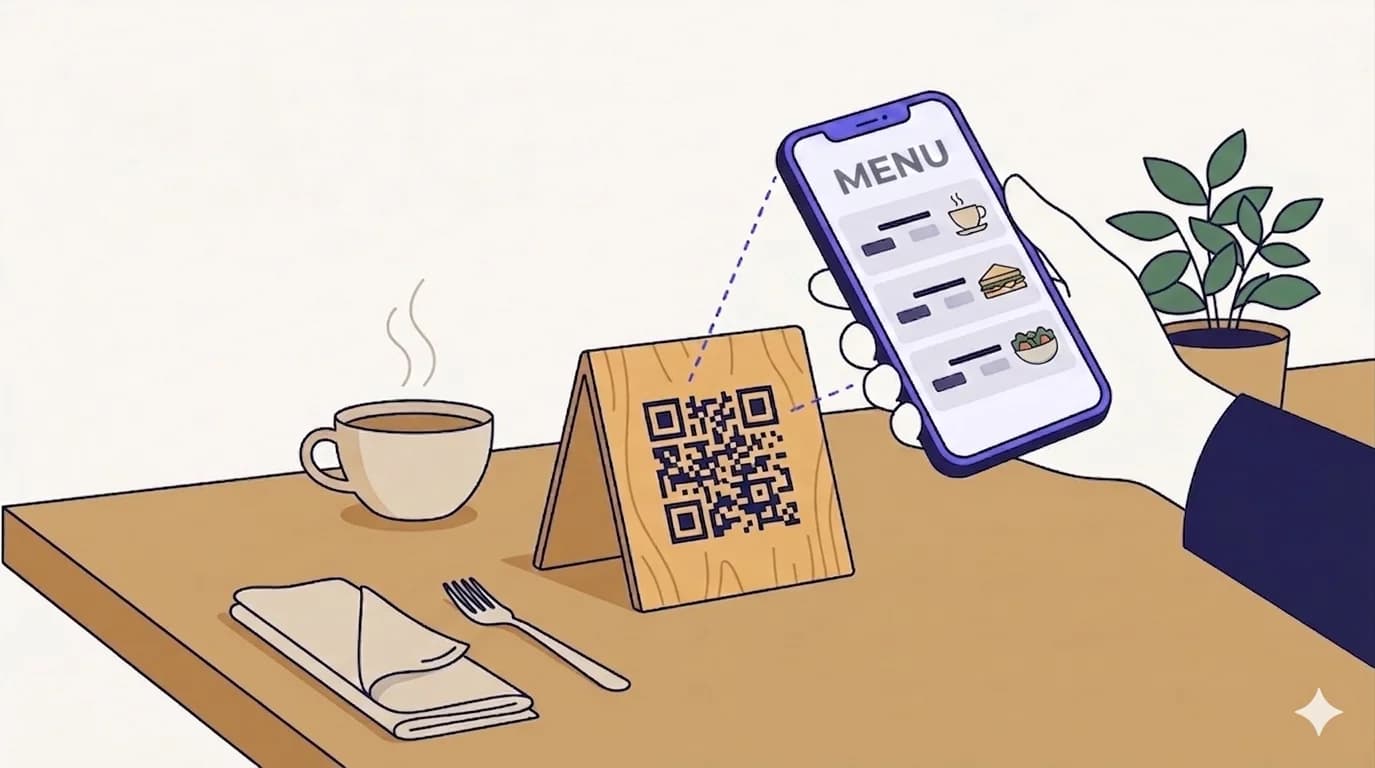
QR menus stopped being a pandemic-era novelty around 2023 and quietly turned into table stakes. Walk into any modern café in Cairo, Riyadh, Beirut, Amman, Dubai, or Casablanca and the table tent is already there, the QR is already on it, and the customer is already scanning it before the waiter has a chance to bring printed menus. The interesting question isn’t whether to put a QR on the table — it’s what work that QR is doing for the restaurant beyond just showing the menu.
Why QR menus actually stuck around
Three forces kept QR menus alive past the moment of public-health necessity. First, the unit economics — printing menus is expensive (cardstock, design refresh every menu change, lamination, replacement of damaged copies). Second, the customer-experience improvement — the menu is always current, photos are sharper, dietary tags are searchable, the customer can take their time without feeling rushed. Third, the data — every scan is a known visit, every order is attached to a table, the feedback loop is no longer paper-and-pen.
Restaurants that have leaned into QR menus aren’t doing it to save the cost of printing — they’re doing it because the QR is now a measurement and update surface, not just a menu replacement.
The three jobs a single restaurant QR can do
A well-designed restaurant QR usually carries three different workflows behind one printed code, accessed from the same landing page:
Job 1 — The menu itself
The baseline. The QR opens a mobile menu — categories, items, photos, prices in local currency, dietary tags, allergen warnings. Make the landing default to Arabic in Arabic-speaking markets with a clear EN toggle, render prices in the local currency (SAR / AED / EGP / QAR / KWD / OMR / BHD / JOD / MAD as appropriate) using Arabic-Indic numerals on the AR side, and serve real photos rather than text-only items wherever possible. The menu loads as a static page — no app install, no account, just the food.
Job 2 — The order itself
On the same landing, an ‘Order to this table’ flow lets the customer add items to a basket and send the order directly to the kitchen tablet. Best for casual concepts, food halls, hotel pools, and high-throughput rooms where service can’t keep up with the table count. Less appropriate for fine dining where the host-customer interaction is part of the value. Pairs well with table numbers encoded into the QR itself — one printed QR per table, the kitchen ticket auto-tags the right table, the runner doesn’t need to ask.
Job 3 — The feedback after
Once the meal is finished, the same QR (or a QR on the receipt) lands the customer on a one-screen feedback widget — three taps maximum: a star rating, a quick category check (food/service/atmosphere), and an optional free-text field. Rich feedback at the moment of leaving outperforms emails-the-next-day by an order of magnitude. Push the high-rating responses straight to a Google review prompt; route the low-rating ones internally so management can address them before the customer posts a public review.
Bilingual considerations specific to MENA restaurants
- Default to Arabic on AR-locale phones, English on EN-locale phones, with a visible toggle on every screen — never assume the user wants the language their phone reports.
- Use Arabic-Indic numerals (٠١٢٣٤٥٦٧٨٩) for prices on Arabic landings — Latin digits in Arabic copy reads as broken to local customers.
- RTL layout matters more than translation. A right-aligned grid, the cart drawer opening from the right, the chevron pointing left to indicate forward — these are non-obvious but they’re what makes the page feel native rather than translated.
- Item names in both languages — many MENA customers code-switch and will look for both ‘harees’ and ‘هريس’ depending on which they remember.
- Allergen and halal certifications need their own visual badges — text-only labels get missed.
- Suhoor/iftar menus during Ramadan should be a separate section, switchable from the dashboard in real time.
Common restaurant-QR mistakes
- Encoding a static QR with the menu URL directly. The day you change the menu URL — a different CMS, a different platform, a typo — every printed table-tent breaks. Always use a dynamic QR that points at a short URL the manager can re-target.
- A QR per item / per category. Customers don’t want to scan five times to see five categories. One QR, one landing, in-page navigation.
- PDF menus. A PDF menu on a phone is unreadable, unsearchable, and often doesn’t even open. Use an HTML page that responds to the screen size.
- Asking for a phone number or email before the menu loads. Lead capture before food = customer leaves. Capture at the END, on the feedback step, after a positive experience.
- Forgetting to refresh the printed QR after changing the menu structure. The QR points to a URL; if the URL serves a stale menu, the QR works but the experience fails. Set a calendar reminder to scan a real table-tent monthly and verify.
- Putting the QR somewhere it can’t be reached one-handed — under glass, behind centerpieces, on the underside of the table. The customer is holding a phone in one hand and reading with the other; the QR needs to be at thumb height with no obstruction.
Sizing for table tents specifically
Table-tent QRs are scanned from 30–50 cm — the customer leans forward slightly and points the phone. That maps to a code 3–5 cm wide on the printed face, with a generous quiet zone of at least 5–7 mm around it. Print smaller and the older Android cameras at the table next door start failing; print larger and the rest of your tent design suffers. Put the QR on the front-facing face only — never on the spine where it folds.
How QRA helps a restaurant
One dynamic QR per location (or per table, depending on the design). Edit the destination from the dashboard whenever the menu changes — a new pricing structure, a Ramadan menu, a seasonal special, a temporarily-closed branch. Track scan volume per location to see which branches use the system most. Bilingual EN/AR is built in. The QR can be exported in print-ready vector formats (SVG / PDF / PDF-CMYK) and resized to any table-tent dimension without losing sharpness.
The short answer
A restaurant QR isn’t a menu replacement — it’s a single piece of infrastructure that carries the menu, the order pad, and the feedback card across one URL the manager controls. Get the bilingual layer right, default to Arabic in MENA markets, use dynamic codes, and the printed table-tent will outlast every menu change for the next three years.
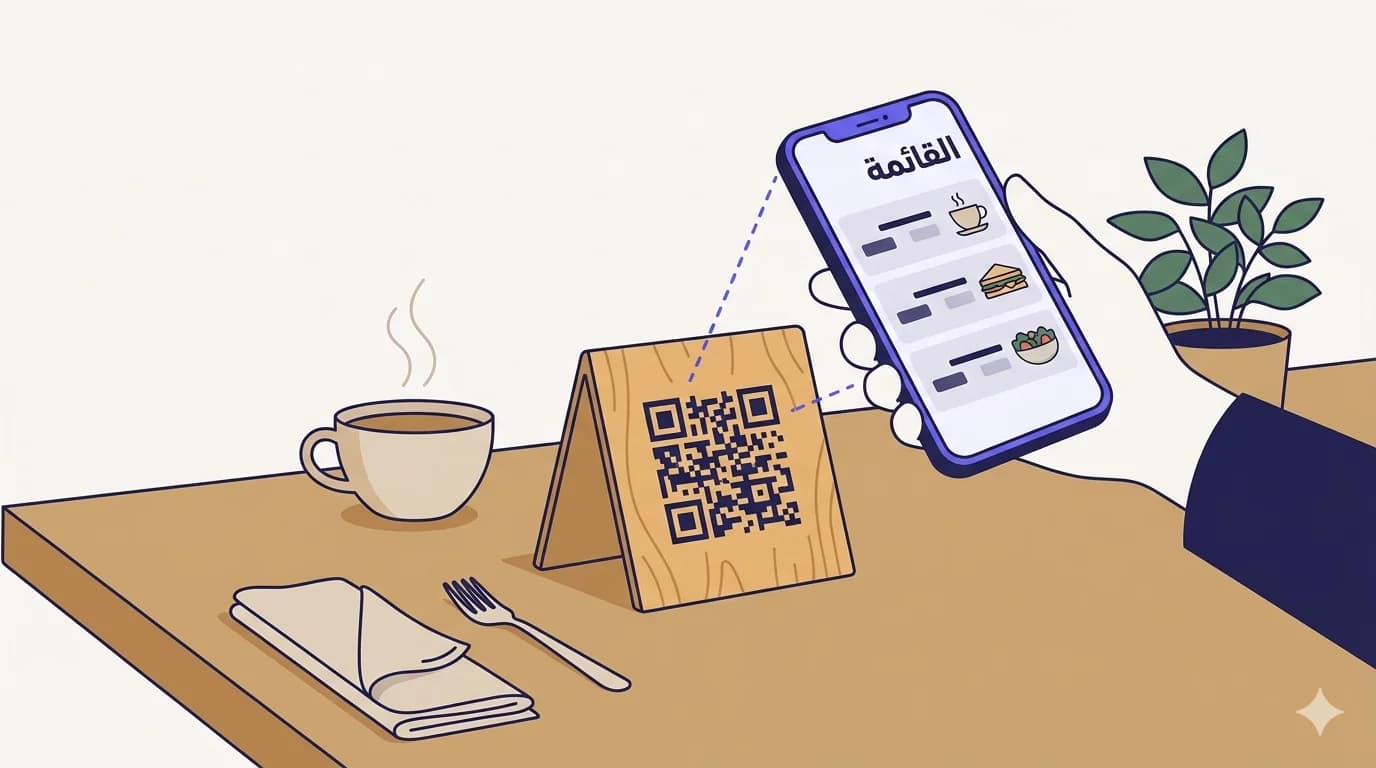
توقّفت قوائم QR عن كونها بدعة من زمن الجائحة عند ٢٠٢٣ تقريباً، وتحوّلت بهدوء إلى ركيزة أساسيّة. ادخل إلى أيّ مقهى عصري في القاهرة أو الرياض أو بيروت أو عمّان أو دبي أو الدار البيضاء، تجد علامة الطاولة هناك، والرمز عليها، والزبون يمسحه قبل أن يصل النادل بقائمة مطبوعة. السؤال المهمّ ليس ما إذا كنت ستضع رمزاً على الطاولة — بل ما العمل الذي يقوم به هذا الرمز للمطعم بخلاف عرض القائمة.
لماذا بقيت قوائم QR فعلاً
ثلاث قوى أبقت قوائم QR حيّة بعد لحظة الضرورة الصحيّة. أوّلاً، اقتصاد الوحدة — طباعة القوائم مكلفة (الورق المقوّى، إعادة التصميم مع كلّ تغيير، التغليف، استبدال النسخ التالفة). ثانياً، تحسّن تجربة العميل — القائمة دائماً محدّثة، والصور أوضح، وعلامات الحمية قابلة للبحث، والزبون يأخذ وقته دون ضغط. ثالثاً، البيانات — كلّ مسحة زيارة معلومة، كلّ طلب مرتبط بطاولة، حلقة التغذية الراجعة لم تعد ورقاً وقلماً.
المطاعم التي تبنّت قوائم QR لا تفعل ذلك لتوفير كلفة الطباعة — بل لأنّ الرمز صار سطح قياس وتحديث، لا مجرّد بديل عن قائمة.
ثلاث وظائف يمكن لرمز QR واحد في المطعم أن يؤدّيها
رمز مطعم مصمَّم جيّداً عادةً ما يحمل ثلاثة تدفّقات عمل خلف رمز مطبوع واحد، تُتاح من نفس صفحة الهبوط:
الوظيفة ١ — القائمة نفسها
الأساس. الرمز يفتح قائمة على الهاتف — تصنيفات، أصناف، صور، أسعار بالعملة المحلّيّة، علامات حمية، تنبيهات حساسيّة. اجعل صفحة الهبوط افتراضيّة بالعربيّة في الأسواق العربيّة مع زرّ تبديل واضح للإنجليزيّة، اعرض الأسعار بالعملة المحليّة (ريال سعودي / درهم إماراتي / جنيه مصري / ريال قطري / دينار كويتي / ريال عُماني / دينار بحريني / دينار أردني / درهم مغربي بحسب السوق) بالأرقام العربيّة الهنديّة على الجانب العربي، واعرض صوراً حقيقيّة بدلاً من الأصناف النصيّة فقط حيثما أمكن. القائمة تُحمَّل كصفحة ثابتة — بلا تطبيق، بلا حساب، الطعام فقط.
الوظيفة ٢ — الطلب نفسه
على نفس صفحة الهبوط، يسمح تدفّق «اطلب لهذه الطاولة» للزبون بإضافة أصناف إلى سلّة وإرسال الطلب مباشرة إلى لوحة المطبخ. مناسب للمفاهيم اليوميّة، وقاعات الطعام، وحمّامات السباحة الفندقيّة، والقاعات عالية الإنتاجيّة حين لا تستطيع الخدمة مواكبة عدد الطاولات. أقلّ ملاءمةً للمطاعم الراقية حيث يكون التفاعل بين المضيف والزبون جزءاً من القيمة. يقترن جيّداً برقم الطاولة المُشفَّر داخل الرمز نفسه — رمز مطبوع لكلّ طاولة، فتذكرة المطبخ توسم تلقائيّاً الطاولة الصحيحة، ولا يحتاج النادل أن يسأل.
الوظيفة ٣ — التقييم بعد
بعد انتهاء الوجبة، يُهبط نفس الرمز (أو رمز على الإيصال) الزبون على شاشة تقييم بسيطة — ثلاث نقرات كحدّ أقصى: تقييم نجوم، تأشير سريع للفئة (طعام/خدمة/أجواء)، وحقل نصّ اختياري. التقييم الغني في لحظة المغادرة يتفوّق على رسائل اليوم التالي بفارق كبير. ادفع الردود ذات التقييم المرتفع مباشرة إلى دعوة لكتابة تقييم على Google؛ ووجّه الردود ذات التقييم المنخفض داخليّاً ليتعامل معها المدير قبل أن ينشر الزبون تقييماً علنيّاً.
اعتبارات ثنائيّة اللغة خاصّة بمطاعم الشرق الأوسط
- اجعل العربيّة افتراضيّة على الهواتف بإعدادات عربيّة، والإنجليزيّة على الإنجليزيّة، مع زرّ تبديل ظاهر على كلّ شاشة — ولا تفترض أبداً أنّ المستخدم يريد اللغة التي يبلّغ عنها هاتفه.
- استخدم الأرقام العربيّة الهنديّة (٠١٢٣٤٥٦٧٨٩) للأسعار في صفحات الهبوط العربيّة — الأرقام اللاتينيّة في النصّ العربي تبدو معطوبة للعميل المحلّي.
- تخطيط RTL أهمّ من الترجمة. شبكة محاذاة لليمين، وجارور السلّة يفتح من اليمين، والشيفرون يشير لليسار للدلالة على التقدّم — هذه أمور غير بديهيّة لكنّها ما يجعل الصفحة تبدو أصليّة لا مترجمة.
- أسماء الأصناف باللغتين — كثير من العملاء في الشرق الأوسط يبدّلون الكود وسيبحثون عن «harees» و«هريس» بحسب ما يتذكّرون.
- شهادات الحلال والتنبيهات الغذائيّة تحتاج شارات بصريّة خاصّة — العلامات النصيّة فقط تُغفَل.
- قوائم السحور والإفطار في رمضان يجب أن تكون قسماً منفصلاً يمكن تبديله من لوحة التحكم في الوقت الحقيقي.
أخطاء شائعة في رموز QR للمطاعم
- تشفير رمز ثابت برابط القائمة مباشرة. يوم تغيّر رابط القائمة — منصّة CMS مختلفة، منصّة مختلفة، خطأ مطبعي — تنكسر كلّ علامة طاولة مطبوعة. استخدم دائماً رمزاً ديناميكيّاً يشير إلى رابط قصير يستطيع المدير إعادة توجيهه.
- رمز لكلّ صنف / لكلّ تصنيف. الزبائن لا يريدون مسح خمس مرّات لرؤية خمس فئات. رمز واحد، صفحة هبوط واحدة، تنقّل داخل الصفحة.
- قوائم PDF. ملفّ PDF كقائمة على الهاتف غير قابل للقراءة، غير قابل للبحث، وأحياناً لا يفتح أصلاً. استخدم صفحة HTML تستجيب لحجم الشاشة.
- طلب رقم الهاتف أو البريد قبل تحميل القائمة. التقاط العميل قبل الطعام = ينسحب العميل. التقط في النهاية، عند خطوة التقييم، بعد تجربة إيجابيّة.
- نسيان تحديث الرمز المطبوع بعد تغيير بنية القائمة. الرمز يشير إلى رابط؛ إن خدم الرابط قائمة قديمة، يعمل الرمز لكنّ التجربة تفشل. ضع تذكيراً شهريّاً لمسح علامة طاولة حقيقيّة والتحقّق.
- وضع الرمز في مكان لا يمكن الوصول إليه بيد واحدة — تحت زجاج، خلف زينة الطاولة، على الجانب السفلي للطاولة. الزبون يمسك الهاتف بيد ويقرأ بالأخرى؛ يجب أن يكون الرمز على ارتفاع الإبهام دون عائق.
المقاس المناسب لعلامات الطاولة تحديداً
رموز علامات الطاولة تُمسح من ٣٠–٥٠ سم — يميل العميل قليلاً ويوجّه الهاتف. هذا يقابل رمزاً بعرض ٣–٥ سم على الوجه المطبوع، مع منطقة هادئة سخيّة لا تقلّ عن ٥–٧ ملم حوله. اطبع أصغر، تبدأ كاميرات أندرويد القديمة على الطاولة المجاورة بالفشل؛ اطبع أكبر، يتدهور بقيّة تصميم العلامة. ضع الرمز على الوجه الأمامي فقط — لا تضعه أبداً على الثنية.
كيف تساعد QRA المطعم
رمز ديناميكي واحد لكلّ موقع (أو لكلّ طاولة، بحسب التصميم). عدّل الوجهة من لوحة التحكّم كلّما تغيّرت القائمة — هيكل تسعير جديد، قائمة رمضان، عرض موسمي، فرع مغلق مؤقّتاً. تتبّع حجم المسح لكلّ موقع لرؤية أيّ الفروع يستخدم النظام أكثر. ثنائيّة اللغة عربي/إنجليزي مدمجة. يمكن تصدير الرمز بصيغ متّجهيّة جاهزة للطباعة (SVG / PDF / PDF-CMYK) وتغيير حجمه إلى أيّ مقاس علامة طاولة دون فقدان الحدّة.
الإجابة المختصرة
رمز QR للمطعم ليس بديلاً عن قائمة — بل بنية تحتيّة واحدة تحمل القائمة، ودفتر الطلبات، وبطاقة التقييم عبر رابط واحد يتحكّم به المدير. اضبط طبقة ثنائيّة اللغة جيّداً، اجعل العربيّة افتراضيّة في أسواق الشرق الأوسط، استخدم رموزاً ديناميكيّة، وستعيش علامة الطاولة المطبوعة أطول من كلّ تغييرات القائمة في الثلاث سنوات القادمة.
Ready to make a smarter QR?جاهز لإنشاء رمز QR أذكى؟
Sign up free — no card needed. Track every scan, edit destinations anytime.سجّل مجاناً — بدون بطاقة. تتبّع كل عملية مسح وعدّل الوجهة في أي وقت.